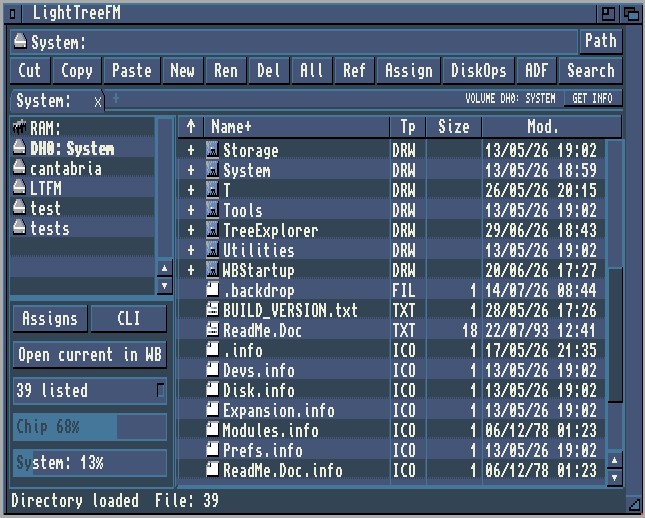
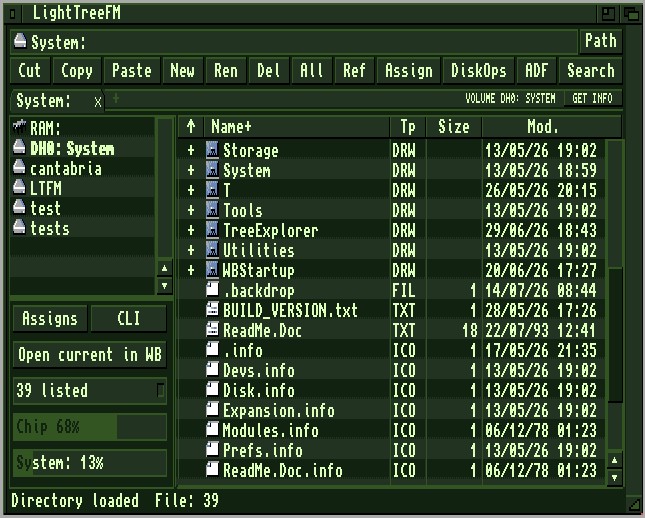
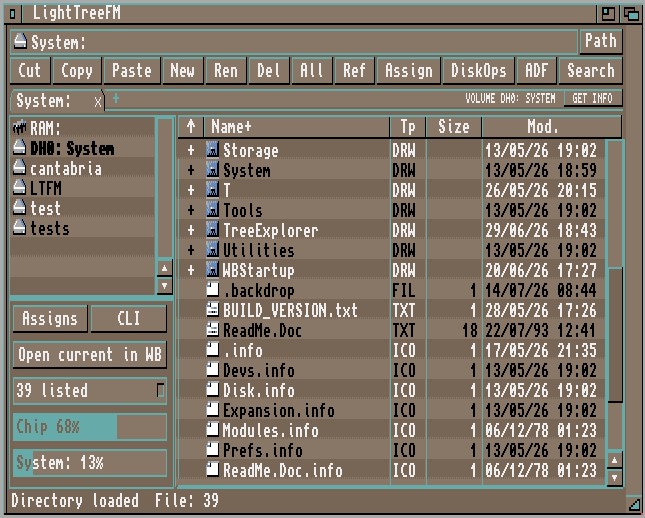
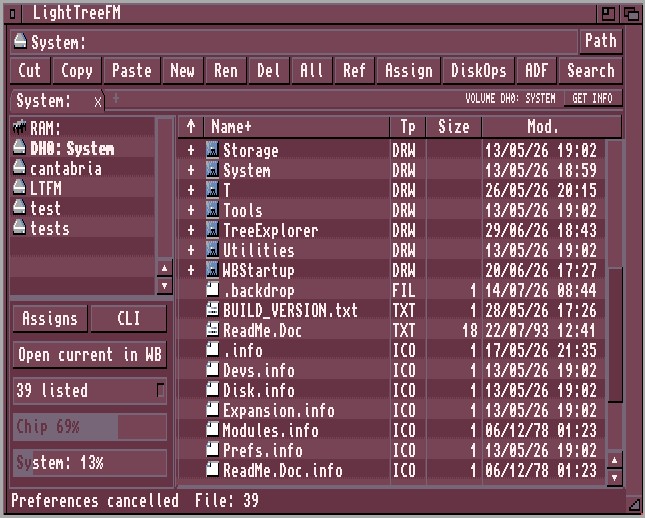
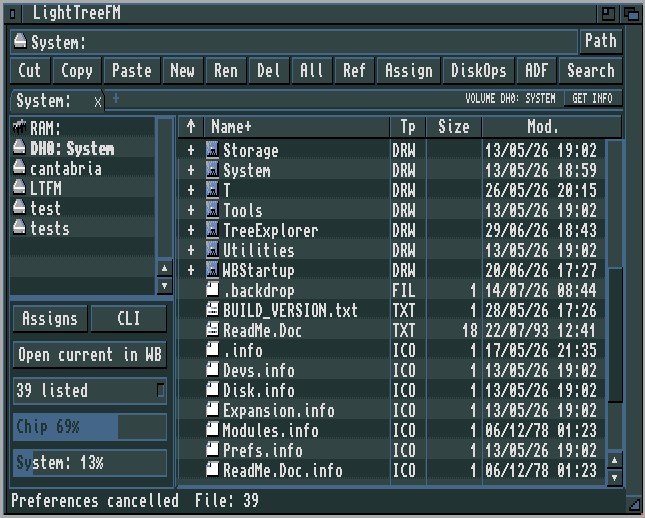
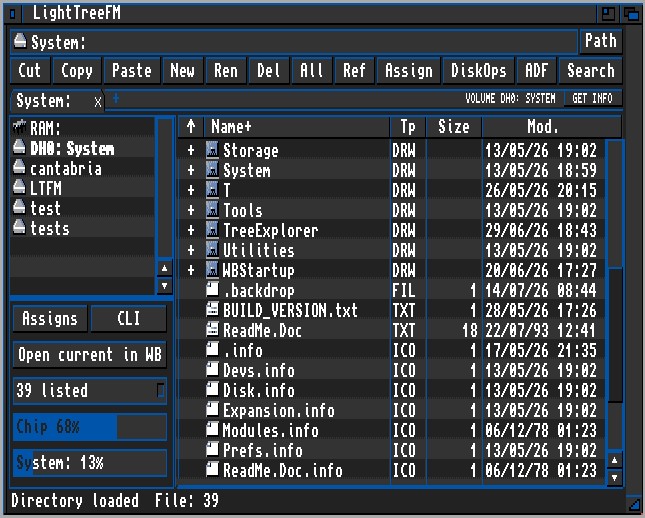
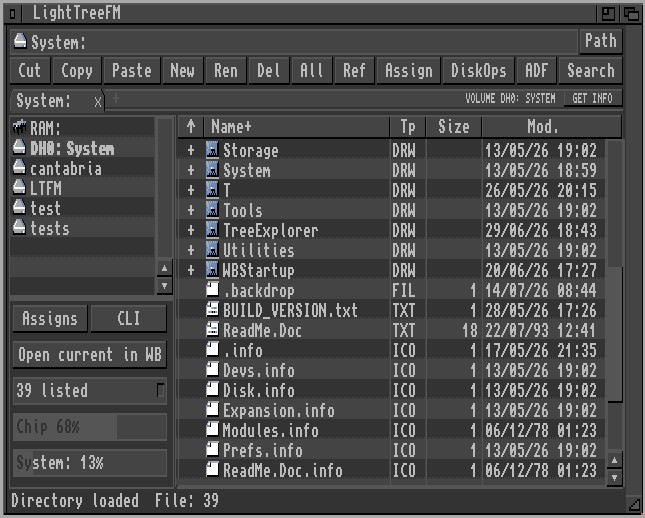
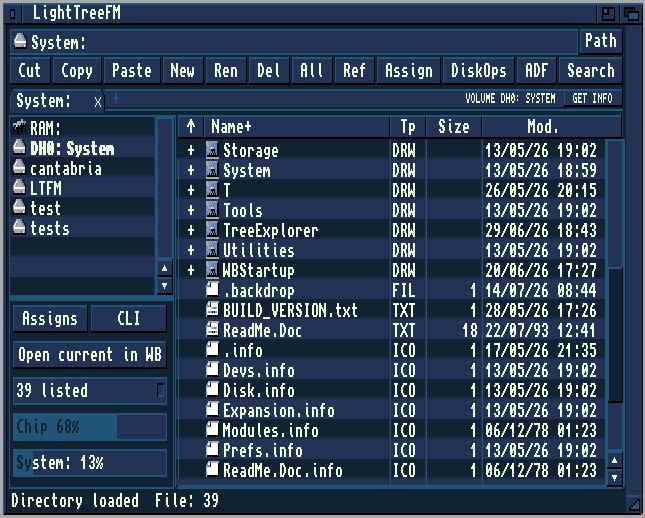
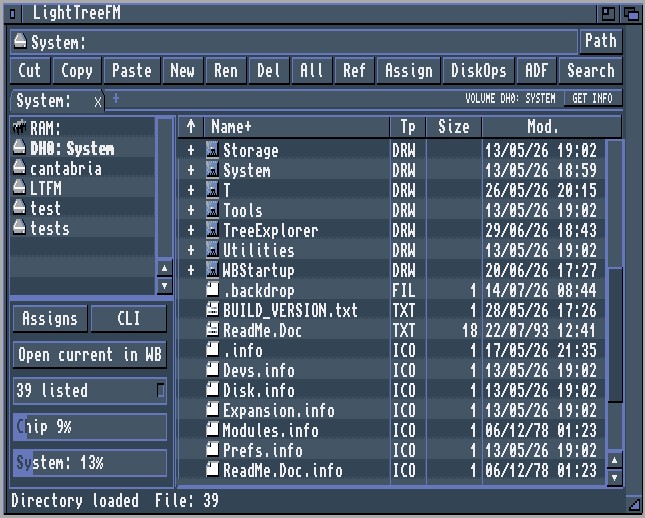
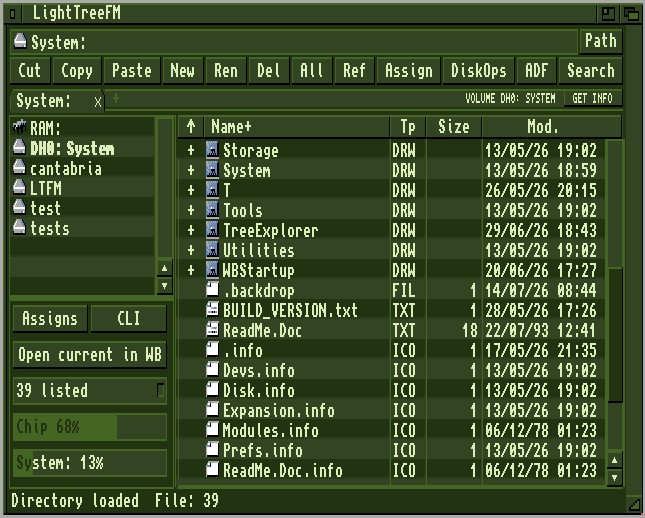
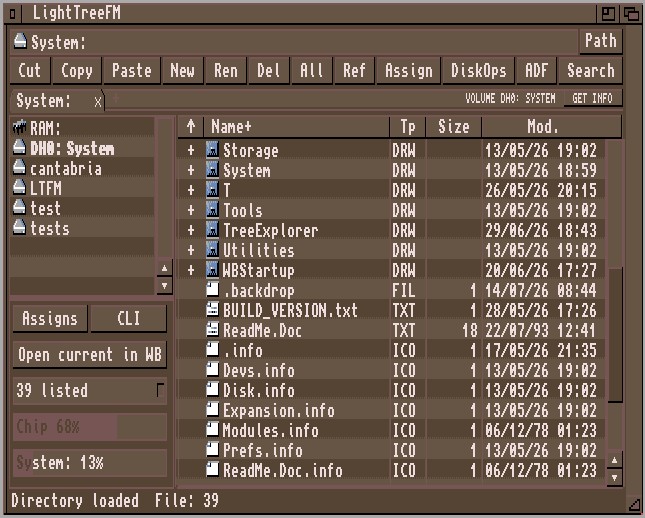
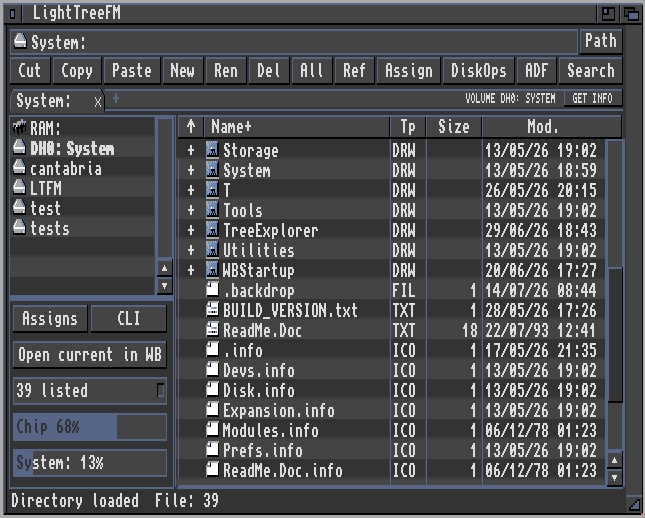
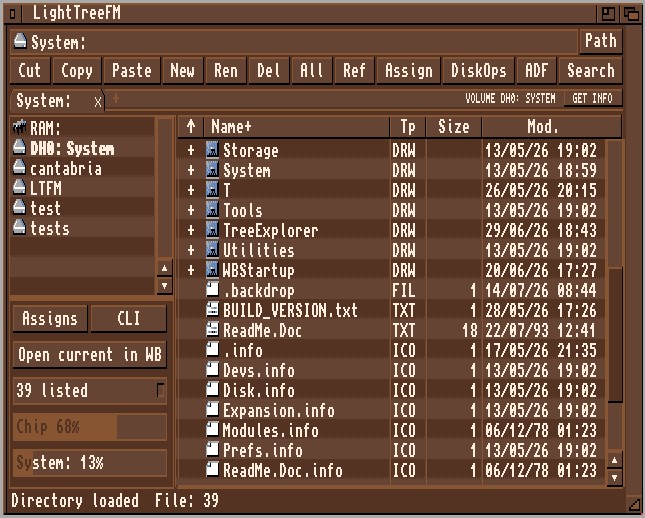
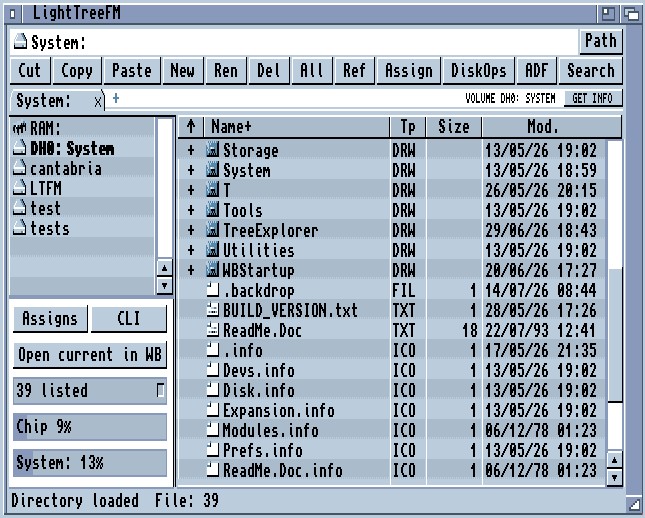
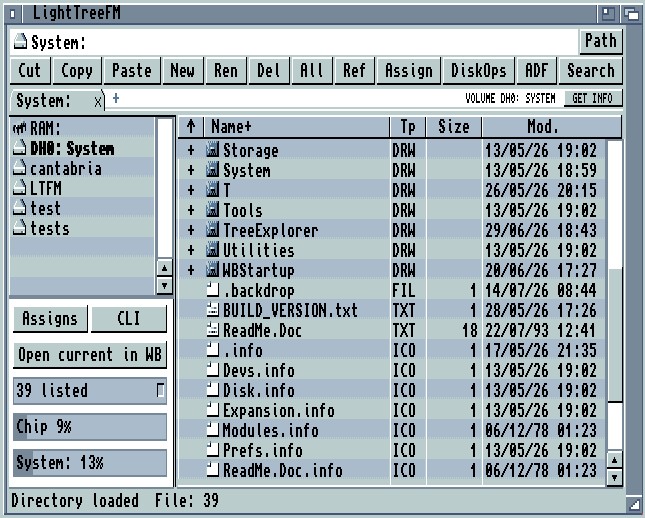
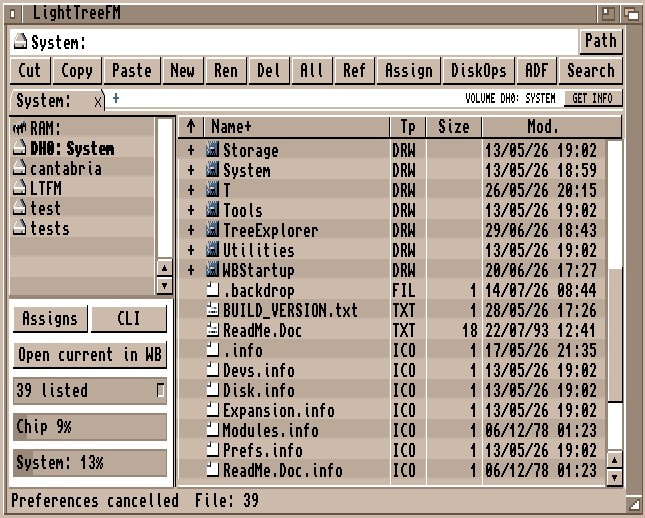
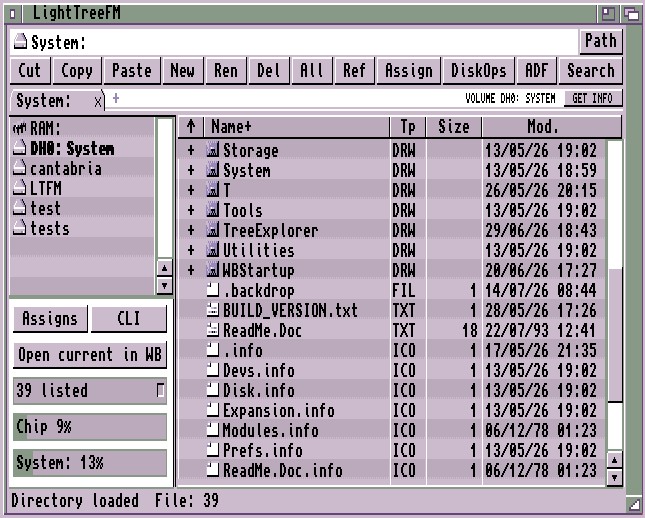
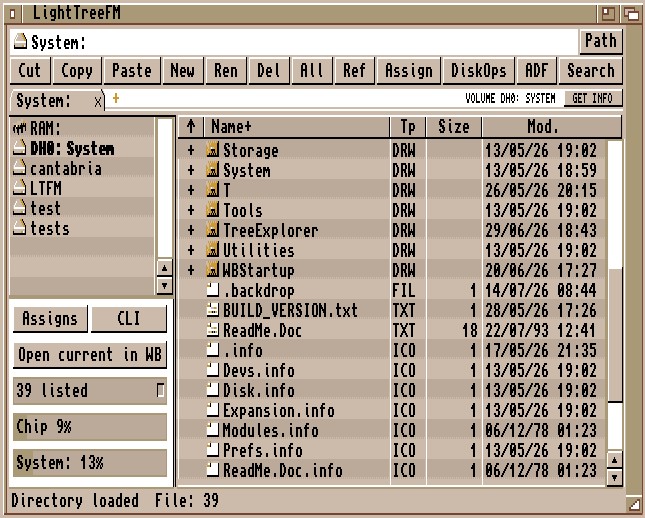
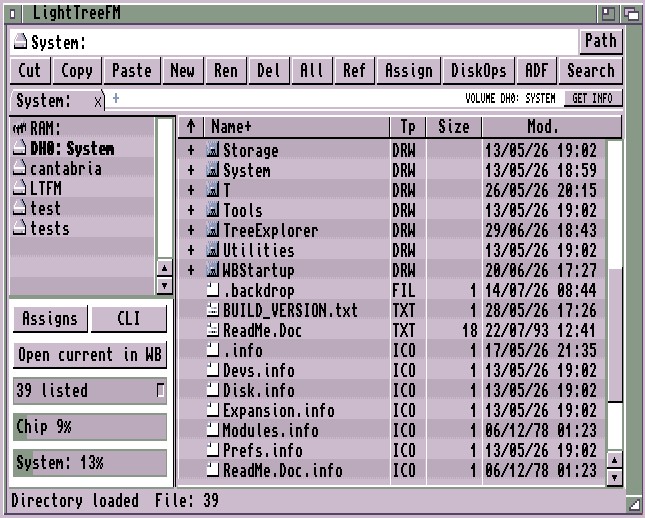
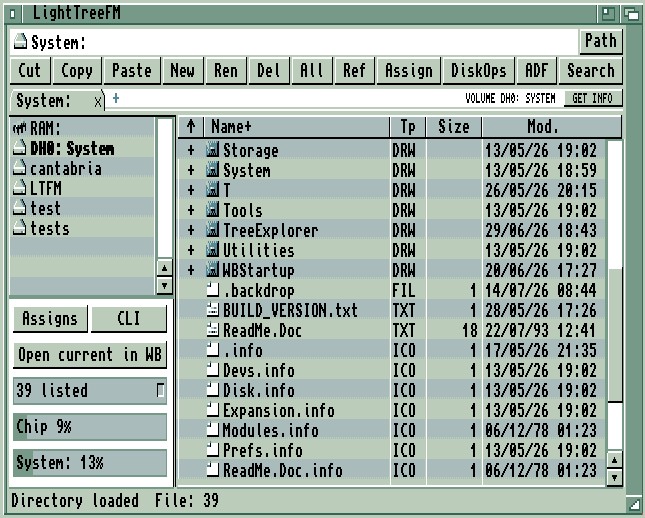
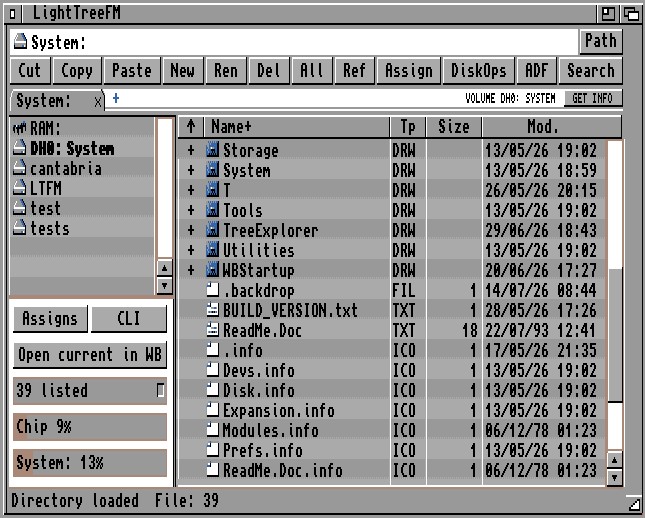
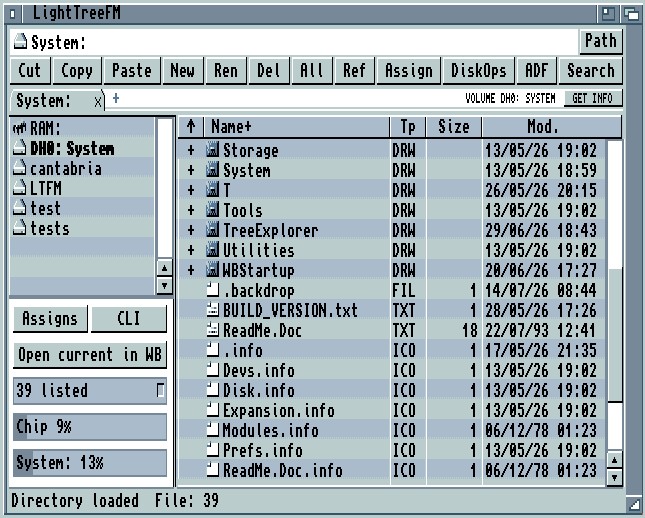
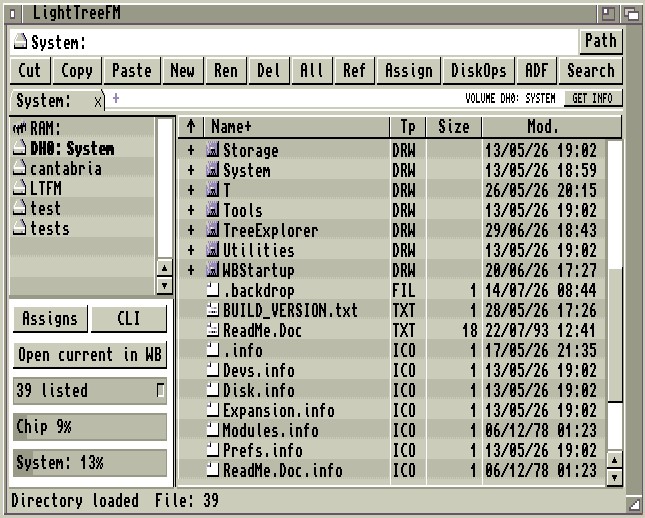
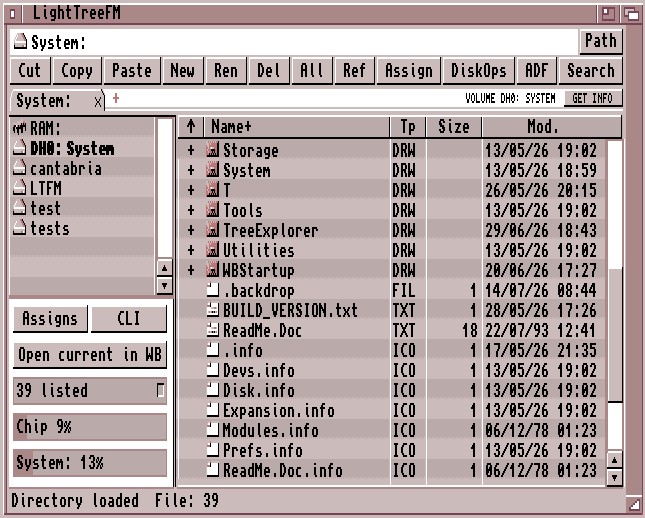
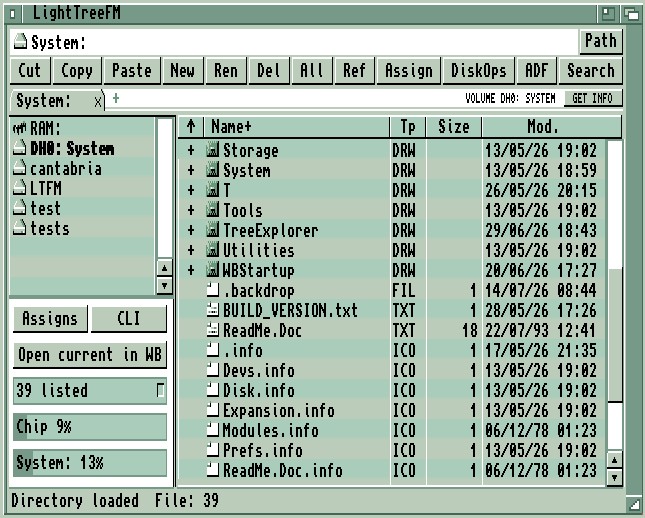
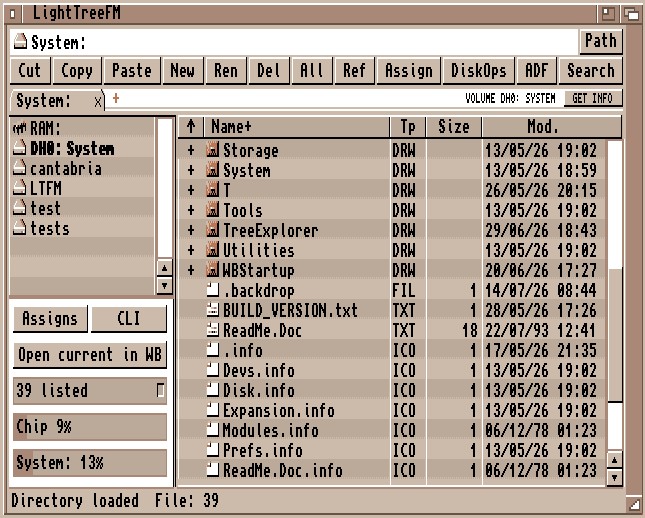
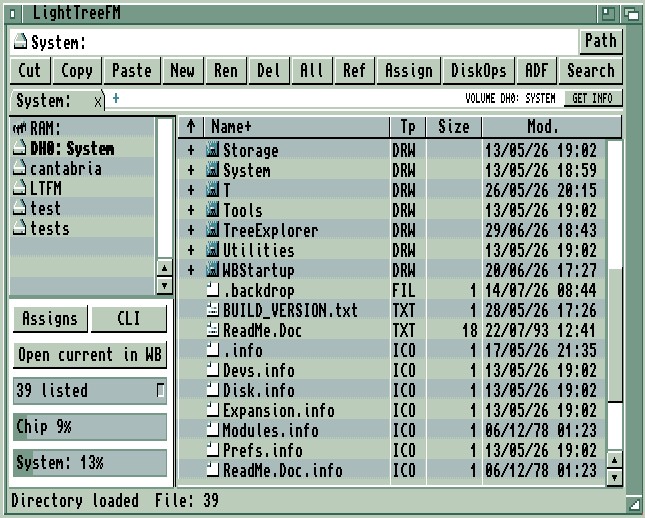
A modern file manager for Amiga, built around today’s interaction patterns: intuitive drag & drop, clear visual metaphors, scalable layouts, tree-based browsing, and archives and ADFs treated like navigable folders with single-file extraction. No MUI required, and designed to scale from classic PAL machines to RTG and PiStorm systems without losing that familiar Amiga feel.
LightTreeFM – Internal Image Viewer Development Update!
Published on
Development of LightTreeFM's built-in image viewer is progressing nicely, and it's becoming a much more capable part of the file manager!
The goal is to provide a fast, lightweight and fully integrated image viewing experience, from classic Amiga systems to modern RTG configurations, without relying on external viewers.
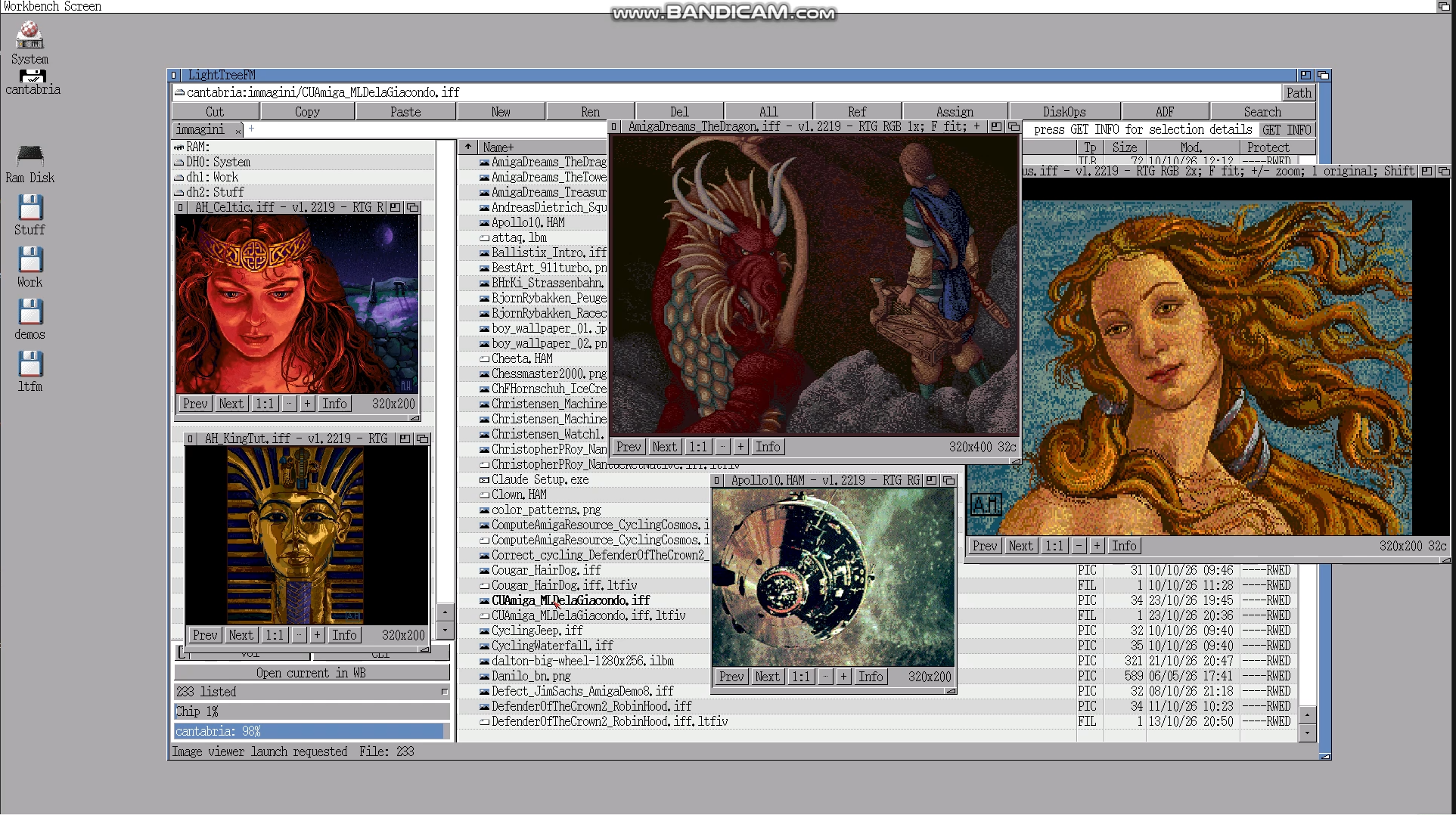
LightTreeFM v1.2219 running several independent image viewer windows simultaneously on an RTG Workbench.
Current features include
Multiple image formats – Support for IFF ILBM, HAM6, HAM8, PNG, JPEG and GIF, with display capabilities depending on the available chipset.
Native Amiga display modes – Support for OCS/ECS and AGA, including HAM display modes, with dedicated rendering paths and colour conversion where required.
RTG support – Image viewing on graphics-card-equipped Amigas, taking advantage of higher resolutions and colour depths.
Multiple viewer instances – Open several images simultaneously in independent windows on RTG screens, as shown in the screenshot.
Zoom controls – Convenient zoom-in, zoom-out and 1:1 viewing options directly from the viewer interface.
Aspect ratio handling – Image dimensions and display proportions are managed to preserve the intended appearance.
Classic Amiga graphics – Support for traditional Amiga image formats, including HAM artwork.
Performance-focused development – Ongoing work on decoding speed, memory efficiency and optimised rendering, particularly for classic 68000-based machines.
Designed for classic Amiga hardware
One of the main challenges is keeping the viewer usable on modest configurations while also taking advantage of faster CPUs, AGA and RTG hardware when available.
The viewer is being developed as an integrated LightTreeFM component, maintaining the project's philosophy: modern functionality without forgetting the limitations of the original Amiga machines.
Still a work in progress!
There's more optimisation, testing and refinement ahead, especially for image decoding performance and native chipset rendering.
More updates coming as development continues!
LightTreeFM – Bringing modern file management to classic Amiga systems.
DEVELOPMENT UPDATE
LightTreeFM Development Update
Published on
The latest round of work on LightTreeFM has focused less on adding large new features and more on making the existing system cleaner, more predictable, and easier to maintain.
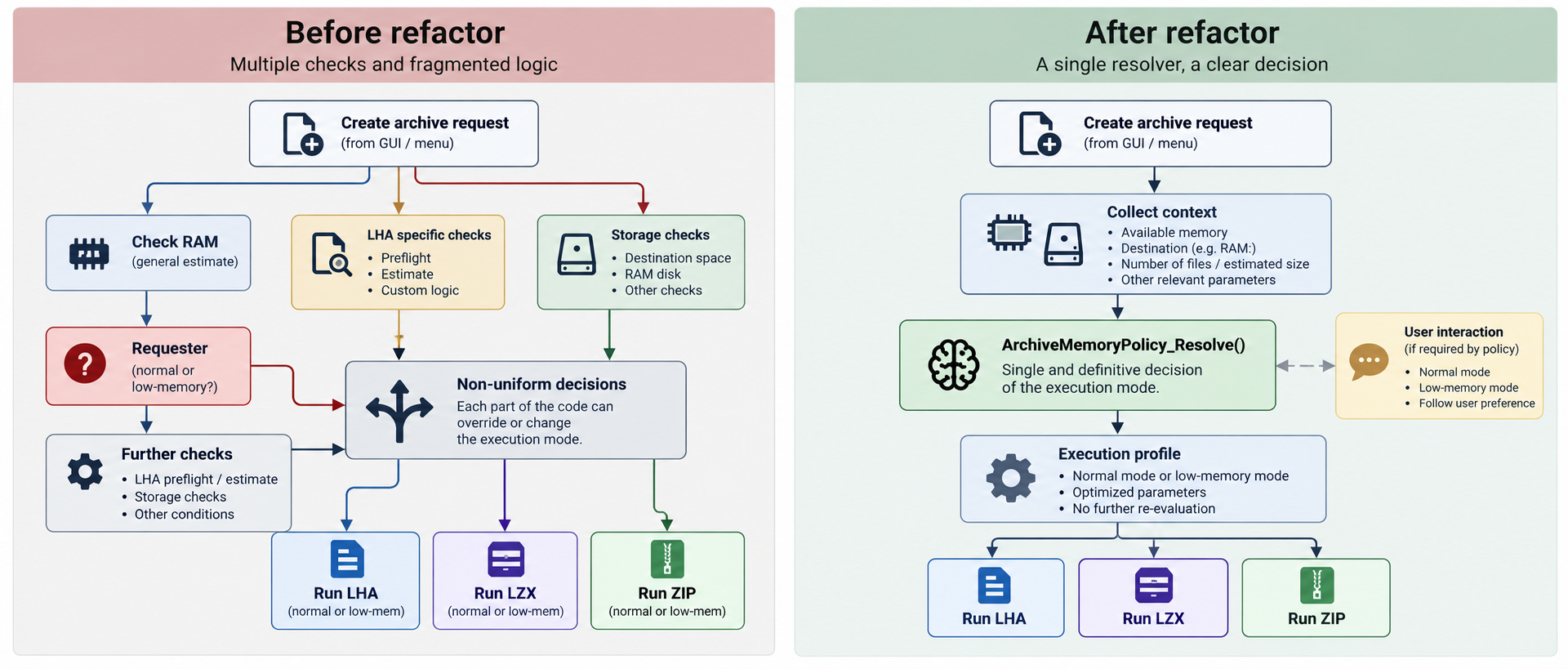
One of the main changes is a revision of the unified archive resolver.
The unified archive resolver before and after refactoring.
Archive creation now relies on a clearer single decision path when choosing between normal and low-memory operation. Previously, some parts of the archive system could perform their own memory checks and reach slightly different conclusions. The new approach keeps that decision centralized and consistent across LHA, LZX and ZIP operations.
This resolver became necessary to fix an architectural problem that dates back to the early stages of the project. LightTreeFM is essentially my first “serious” software project, and some of the original archive logic grew gradually as new cases, exceptions and memory checks were added. What initially worked well enough eventually became too fragmented, with different parts of the code making similar decisions independently. This is also one of the lessons I have learned from vibe coding. It can be an extremely powerful way to turn ideas into real software, especially for someone who is not a professional programmer, but it also has its traps.
When a project grows, it is very easy to keep adding fixes and new branches without immediately seeing the architectural debt being created underneath. AI can help write the code, but it does not remove the need to understand the system, question previous choices and sometimes stop adding features in order to redesign something properly.
This also made it possible to remove some older code that had accumulated during development. Several diagnostic and development-oriented sections were still present even though they were no longer required by the current architecture. This declunking work helps reduce duplication, simplifies the codebase, and keeps the release build focused on what is actually needed.
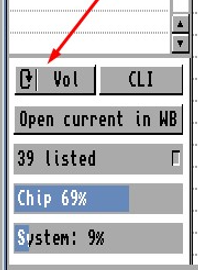
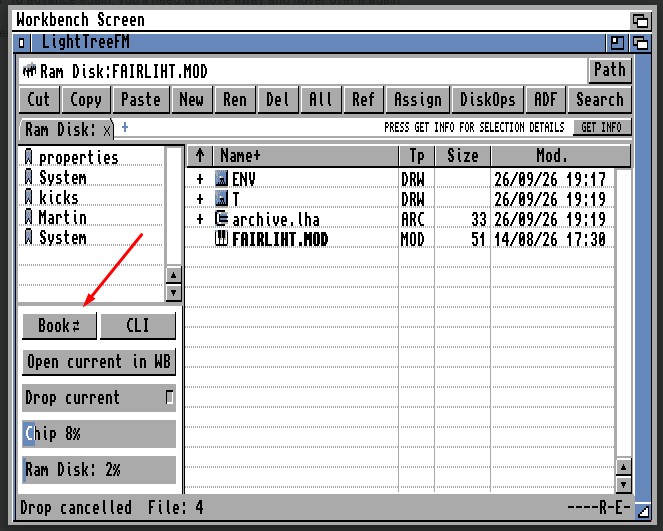
The left panel navigation has also received a small but useful usability improvement. The new cycle button makes it easier to switch between the available panel contents without adding extra controls or taking up more interface space.
The new left-panel cycle button.
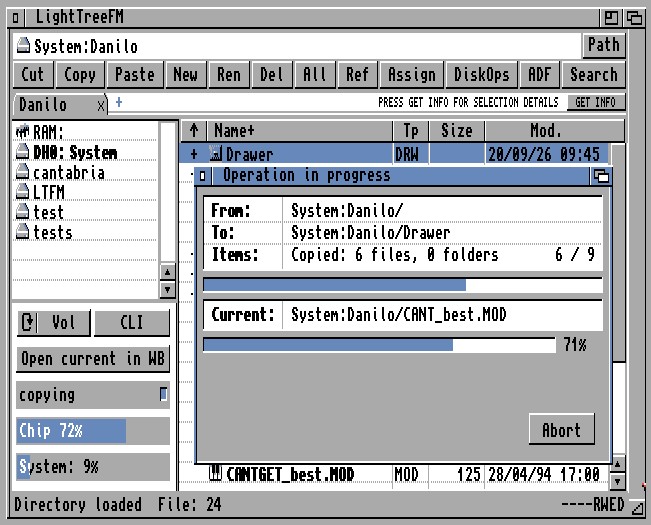
Copy, move and delete progress windows have been reworked as well. The layout is cleaner, but the more important change is behind the scenes: progress reporting now has a better understanding of the amount of work involved. Operations containing directories and many nested files can therefore provide a more meaningful completion percentage instead of treating an entire folder as a single item.
The reworked file-operation progress window.
Finally, an archive-related filename bug has been fixed. Files or directories whose names begin with a space are now handled correctly when creating archives.
The next release will therefore be something of a “not-so-hotfix”: not an emergency patch, but a focused adjustment built largely around the feedback, suggestions and requests received from users who have tried LightTreeFM and, most importantly, enjoyed using it.
This update is mainly about refinement: correcting an early architectural weakness, removing development baggage, improving progress feedback and polishing everyday usability. It may not be the most visible kind of development work, but it is the kind that makes LightTreeFM stronger and easier to evolve.
LightTreeFM – Community Feedback Update: First Improvements Already Implemented
Published on
The first feedback after the Autumn Release has already turned into real improvements.
A LightTreeFM user provided a detailed set of observations after testing the new release on both Workbench and Custom Screen configurations. Several of those suggestions have now been implemented.
The left-panel cycle button.
The left-panel cycle button has been improved so that its behaviour is clearer and its displayed state better matches what the user is currently seeing, reducing the ambiguity between the current state and the next available one.
Window position and size can now persist across reboots, making the Save Session behaviour much more useful in everyday use. On the first launch, LightTreeFM also opens in a more Workbench-friendly position, avoiding the Workbench title bar.
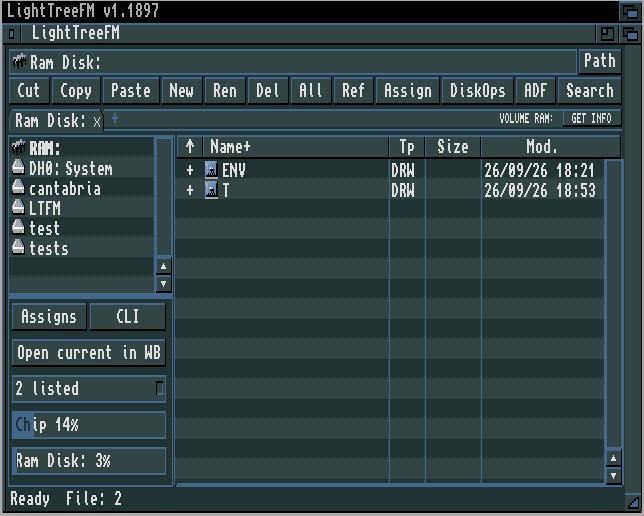
The refined Custom Screen title bar.
The Custom Screen experience has also been refined, with a proper title bar showing the LightTreeFM name and version and providing the expected window controls.
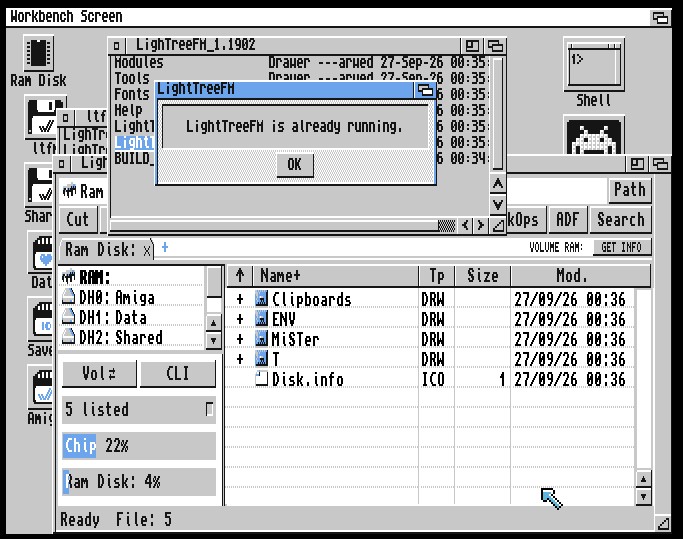
The running instance is detected.
Finally, LightTreeFM now uses a single-instance policy. Attempting to start another instance no longer risks conflicts with an already active Custom Screen session; the running instance is detected instead.
These may look like small details individually, but they are exactly the kind of refinements that make an application feel more predictable and comfortable in daily use.
This is also the first example of what I hope will become an important part of LightTreeFM development: real-world testing, user feedback, and rapid refinement without abandoning compatibility with classic Amiga systems.
Many thanks to the users who are spending their time testing LightTreeFM and reporting these details.
The next LightTreeFM update will include these improvements together with the first round of post-release fixes.
Dual-Pane Layout with Left Navigation & Active Drawer
Dual Tree
Click to enlarge
Native 640x256
Native OCS/ECS 640x256 PAL Screen with Custom 8-Color Palette
Native 640x256
Overview
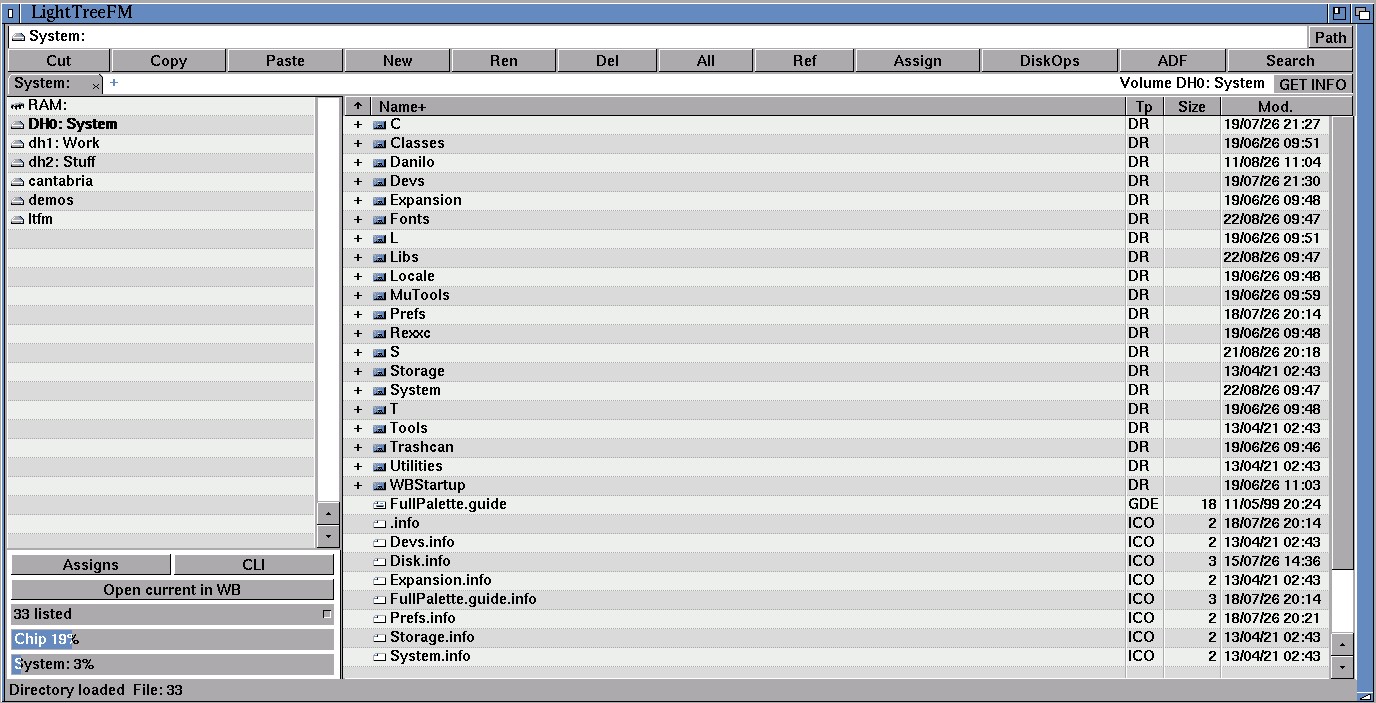
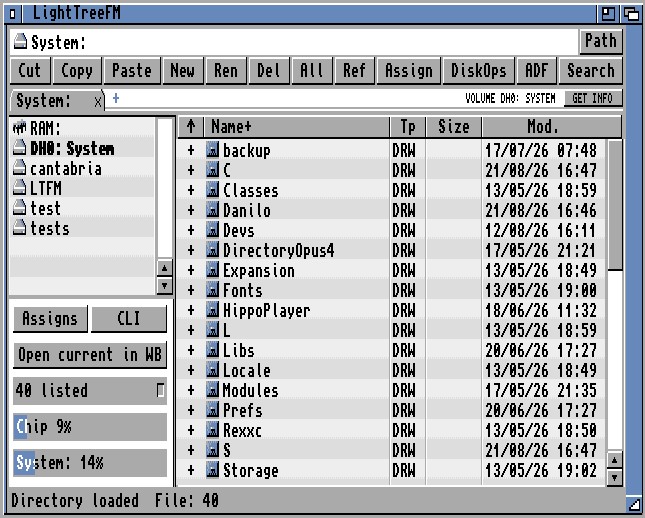
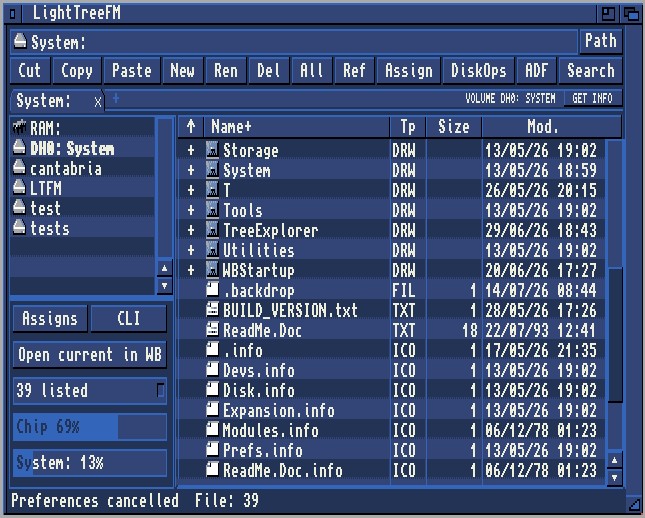
A modern interface designed around interaction, not code — shaped by the way people naturally work with files, then translated into software. LightTreeFM combines familiar ideas with modern interaction, aiming for the same intuitive and fluid experience from a classic 640×256 High Res PAL screen all the way up to 1920×1080 RTG.
Its main window combines:
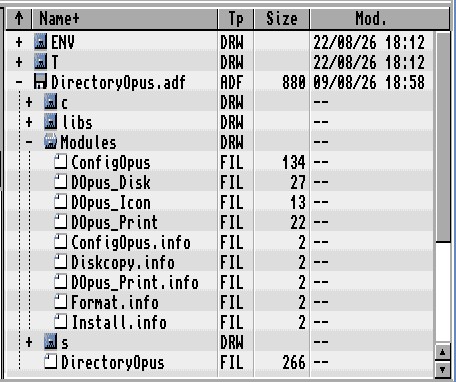
a left navigation pane for volumes, active AmigaDOS assigns and bookmarks;
a right file pane for the current directory and expandable nested content;
a path bar, text toolbar, tabs, status line and activity feedback;
standard menus and keyboard shortcuts;
normal file management, drag and drop, archive handling, ADF browsing, floppy tools, comparison/synchronisation, metadata editing, batch rename, search, media viewing and configuration.
LightTreeFM uses one unified 68000-safe executable rather than separate “classic” and “modern” editions. Runtime capability checks select the most appropriate implementation for the active OS, libraries, screen and hardware.
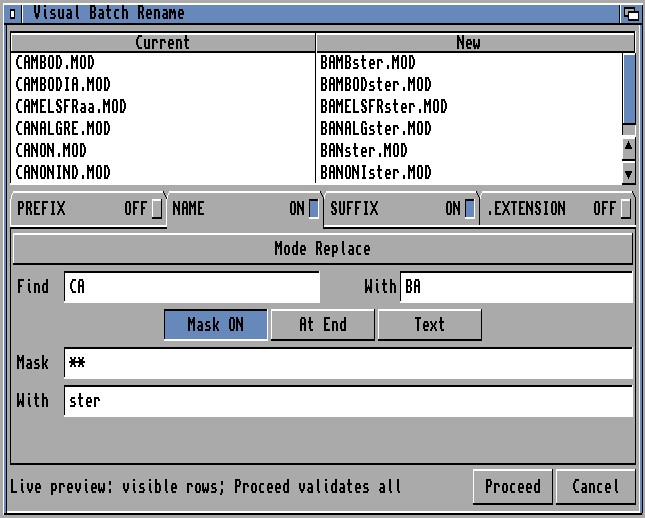
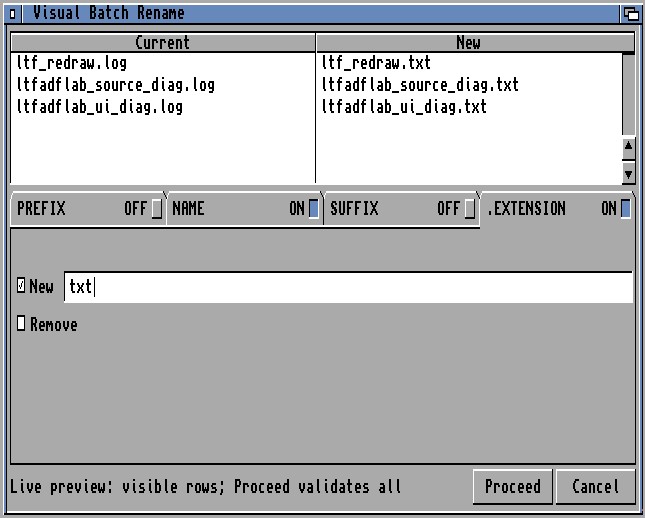
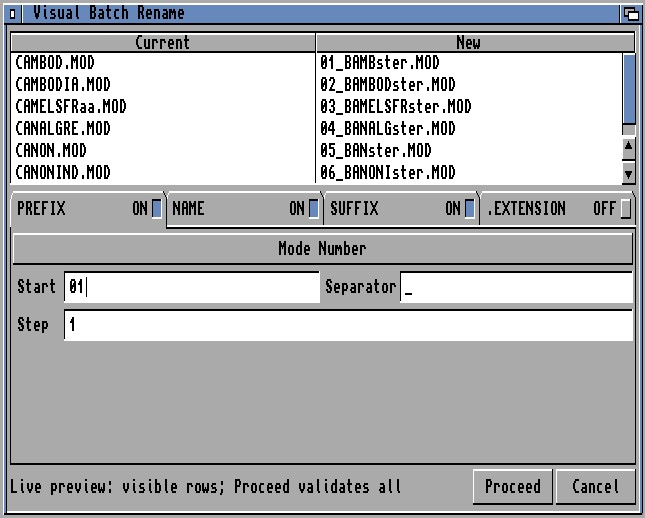
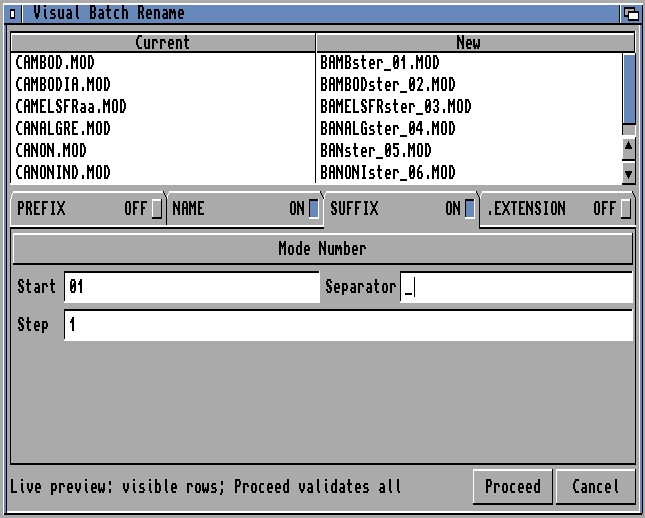
Visual Multi Rename makes renaming large groups of files and drawers fast, clear and safe.
Select multiple items and LightTreeFM opens a dedicated visual renaming tool where you can preview the new names before applying any changes. It is designed to handle anything from a few files to very large selections while checking for name conflicts and helping prevent mistakes.
The operation is applied safely, with built-in recovery in case something goes wrong, and LightTreeFM automatically refreshes the affected drawer when the rename is complete.
Support for very large selections is already implemented; final testing on low-end Amiga configurations is still in progress.
Selection capture rules
Batch rename requires:
at least two selected real files or drawers;
all targets in the same canonical real drawer;
valid AmigaDOS component names;
sources still present at capture and validation time;
no search-result context;
no TreeDuo context;
no archive or ADF virtual row;
no explicit object plus its .info companion selected as two independent targets.
The main application performs a two-pass, streaming request capture with a selection signature. The module revalidates the manifest and filesystem before authorising any mutation.
Four-zone rename model
The UI separates a component into four independently enabled/configured zones:
1. Prefix;
2. Name (base name);
3. Suffix;
4. Extension.
Zones retain their configured values when disabled, allowing users to compare combinations without retyping rules.
Prefix and suffix
Prefix and Suffix can add:
fixed text;
a separator;
a numeric sequence;
an alphabetic sequence;
configurable start;
positive or negative step where representable;
explicit numeric width with overflow validation;
upper- or lower-case letter sequence behaviour.
Sequence output is deterministic by source row/order and is generated by the same transform engine used by preview and apply.
Base-name operations
Name supports:
Keep — preserve the current base name;
Entire/New — replace the complete base with entered text/sequence;
Replace — literal Find/With substitution;
Remove — remove the base portion according to the active rule;
Mask — positional pattern transform;
case Keep, Lower, Upper or Capitalize;
Require all, which blocks rows where the required operation does not match;
an optional sequence and separator where the active mode supports it.
Positional mask
Mask operates on the base name, not the extension. Its pattern semantics are:
- preserves the corresponding source character;
* replaces the corresponding position;
position can be Start, Anywhere or End;
replacement can be Text, Number, Letters or Remove;
Number and Letters reuse the sequence Start/Step configuration;
malformed, incomplete, ambiguous or non-matching masks produce specific diagnostics.
Replace plus Add Mask
Replace can enable a second atomic Mask stage:
original base → literal Replace → secondary Mask → case → affixes → extension
The combined row is atomic. If Find does not match, Mask is not applied. If Replace succeeds but the required Mask fails, the provisional Replace is also discarded for that row. Diagnostics distinguish find-not-found, mask-not- matched, ambiguous mask and invalid mask. Start and End are available for the secondary mask; Anywhere remains exclusive to full Mask mode.
Extension operations
Extension supports:
Keep;
replace only an existing extension;
replace or add an extension;
remove extension;
lower-case extension;
upper-case extension.
The extension is processed separately from the base so name masks and case rules do not accidentally consume the dot suffix.
Live preview and editor UX
The window provides:
Current and New columns;
scrolling over the real selection rather than a demonstration table;
a scrollbar whose logical range supports counts beyond signed WORD display limits;
counters for Ready, Unchanged, Not applicable and blocking/error rows;
per-row diagnostics;
zone tabs and focused editable fields;
responsive field-only/new-name/footer redraws rather than full-window redraw on every key;
Classic and Scalable layouts;
Public and owned-screen routing;
configured system or custom font handoff;
Esc/Cancel handling;
Proceed enabled only for a current, completely validated, error-free plan with at least one actual change.
Large selections use visible-row preview caching and cooperative work quanta so capture, evaluation and preflight can service refresh events and update the main application's activity feedback.
Preflight and collision engine
Before Proceed, every planned source, companion, temporary and destination is validated. The engine detects or blocks:
invalid transformed names;
no-op/unchanged rows;
required transforms that did not match;
missing or changed sources;
file/drawer identity changes;
internal destination collisions;
collisions with existing external objects;
.info companion collisions;
temporary-name collisions;
case-only renames;
rename chains;
swaps;
duplicate source or destination identities.
Normalised case-insensitive hash indexes keep collision work approximately linear rather than comparing every row with every other row.
Transaction, cancellation and rollback
Apply uses a two-phase temporary-name transaction so swaps, chains and case-only renames can be performed safely. Associated .info companions follow their object without being exposed as duplicate user rows.
Cancellation policy depends on phase:
before mutation, Cancel stops without changes;
during the two rename phases, Cancel asks for confirmation and initiates rollback;
during rollback/final verification, closing controls remain disabled until the outcome is known.
The final outcome is one of:
complete commit;
verified rollback;
failure with changes rolled back;
explicit recovery report when complete rollback cannot be guaranteed.
Recovery output is streamed to a temporary file, receives a complete framing marker, is closed and then atomically installed. There is no former fixed 12-KiB report ceiling. Temporary recovery files are removed after open, write, close or install failures.
Completion report
The terminal summary reports counts such as:
committed;
unchanged;
not applicable;
failed;
rolled back;
recovery report present.
The requester uses the same effective font as the Multi Rename window, scales its padding and height, uses neutral theme roles rather than selection blue, and returns to the still-open editor after OK where the outcome permits further editing.
Count model and practical limits
The old product-specific 63-item cap has been removed. The current protocol and module use streamed manifests, ULONG counts and dynamic compact state, with a technical upper boundary inherited from the general WORD-indexed file list and protocol representation rather than an advertised “unlimited” promise.
Documented synthetic and fixture coverage includes 64, 255 and 1000 rows. The release claim for large real selections remains conditional on the final target RAM, stack, time, cleanup, rollback and recovery qualification described above.
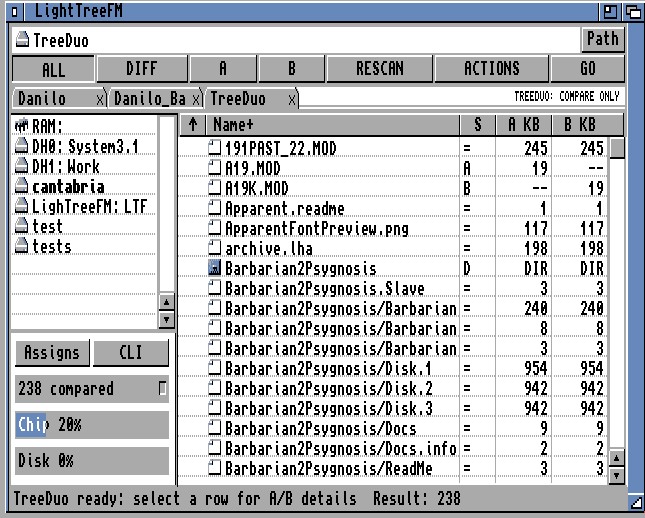
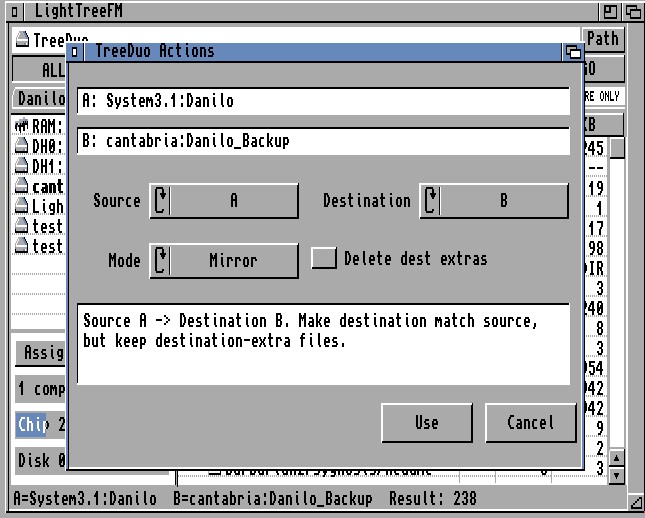
TreeDuo is LightTreeFM’s recursive folder comparison and synchronisation assistant. It compares the complete directory trees rooted at two normal tabs, called side A and side B, and presents one unified result in a virtual TreeDuo tab. The original tabs and drawers remain available.
The initial comparison is read-only. TreeDuo does not change files until an Update or Mirror mode has been selected in ACTIONS, GO has produced a complete preview and Proceed has been confirmed. Unlike a normal Copy command, a TreeDuo operation is a plan for the complete compared tree.
Creating a comparison
File/Compare tabs with TreeDuo uses the two most recently created normal directory tabs. The earlier becomes A and the later becomes B. The active tab alone does not choose direction. Only one TreeDuo session can be open.
TreeDuo recursively scans A, scans B, matches case-insensitively and creates relative-path result rows. Names, file/drawer kind, size and available modification dates are compared. It does not automatically checksum every file or read all file bytes.
Result classifications
Marker
Meaning
=
matching regular file on both sides
D
matching drawer on both sides
A
entry exists only in A
B
entry exists only in B
A+
A copy is newer
B+
B copy is newer
!
conflict: type mismatch, different-size review, duplicate/case-only ambiguity or similar unsafe condition
?
insufficient metadata for a safe decision
Columns show relative Name, Status, A size and B size. Each column is sortable ascending or descending. Selecting a row shows A/B facts; Properties opens a read-only paired report with relative key, full expected paths, presence, kind, size and date.
Filters and rescan
ALL shows every result.
DIFF hides equal files and matching drawers.
A shows entries present only in A.
B shows entries present only in B.
RESCAN adopts the current source-tab directories and rebuilds the comparison.
Filters change only the visible projection. They never reduce the scope of an ACTIONS/GO write plan. If rescan fails, the previous valid comparison is kept.
Actions and direction
The ACTIONS window displays the complete owned A and B roots and selects:
source side;
destination side;
Compare, Update or Mirror mode;
Delete destination extras, available only in Mirror.
Compare performs no writes. Update creates missing destination drawers, copies source-only files and replaces files when the source is newer, while retaining destination-only and destination-newer entries. Mirror can also replace newer destination copies so the destination follows the source; with Delete destination extras enabled it schedules destination-only data for permanent deletion.
Preview and execution safety
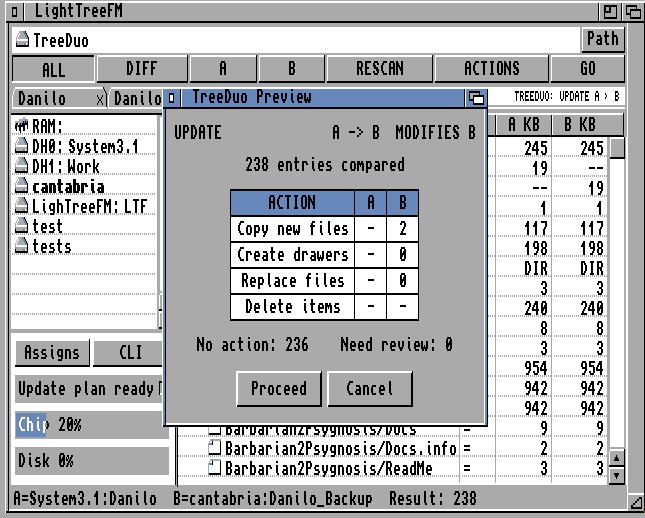
GO does not immediately mutate the filesystem. For Update and Mirror it:
1. rescans both roots using current authoritative filesystem data;
2. builds the complete direction-specific plan;
3. displays counts for new copies, created drawers, replacements and deletions on both sides;
4. warns about newer files replaced, stale data, conflicts and invalid paths;
5. labels the only destination that may be modified;
6. enables Proceed only when the plan is complete and safe.
Conflicts, changed source facts or insufficient information block Proceed. Selection is for inspection and does not limit GO. In Mirror, copy/create work is attempted before deletion; deletion starts only if preceding work succeeds, asks for another confirmation and cannot be undone.
TreeDuo projects
TreeDuo recipes can be saved as .tdp project files. A project stores:
A and B roots;
direction and mode;
Delete destination extras setting;
active filter;
sort field and order.
It does not store result rows or stale metadata. Loading validates both roots and opens a themed summary before scanning. Missing roots can be Located, retried or cancelled; remaps remain temporary until validation completes. Same roots are rejected. Nested roots are accepted only after an explicit read-only Compare acknowledgement; Update, Mirror and deletion remain disabled.
Comparison capacity that adapts to your Amiga
From classic Amigas to expanded systems, TreeDuo adapts comparison capacity to the memory available at the start of a session, supporting up to 32,767 files and folders per comparison. Automatic limits range from 512 to 32,767 entries, with intermediate steps of 1,024, 2,048, 4,096, 8,192 and 16,384.
Comparison capacity at a glance
Memory configuration
Files & folders
2 MiB Chip RAM, or 1 MiB Chip RAM + 1 MiB trapdoor expansion (no Fast RAM)
Up to 1,024
2 MiB free RAM (standard profile)
4,096
4 MiB free RAM (standard profile)
8,192
Maximum capacity, memory permitting
32,767
The count covers the entire folder tree, including entries hidden by filters or collapsed folders. A relative path shared by A and B counts once; an entry found on only one side counts separately. For example, 20,000 corresponding files on each side count as 20,000 file entries, plus folders, while 20,000 different files on each side exceed the overall limit.
TreeDuo supports up to 16 subfolder levels and uses 256-byte path buffers. The session limit stays fixed during refresh, and available memory may run out before that limit is reached. If a limit is exceeded, memory runs out or a folder cannot be read, TreeDuo stops the scan with a clear error instead of presenting an incomplete comparison as complete. If a refresh fails, the previous comparison remains available.
Archive Format Handlers & Tool Assignment Configuration
Format Setup
Click to enlarge
Command Templates
External Archive Command Line Arguments & Flag Builders
Command Templates
Click to enlarge
Exploded Archive
In-Place Virtual Archive Browsing & Extraction Tree
Exploded Archive
Archive support
15.1 Supported families and operations
Format
Extensions
External command(s)
Browse/List
Extract
Add/Create
Test
LHA/LZH
. lha , . lzh
lha
Yes
Yes
Yes, recursive when supported
Yes
LZX
. lzx
lzx
Yes
Yes
Yes
Yes
ZIP
.zip
unzip , zip
unzip
unzip
zip , recursive
unzip
ARC
.arc
arc
Yes
Yes
Not offered
Yes
DMS
. dms
dms
View/list
Writes/extracts to media
Not a normal archive create workflow
Yes
15.2 Inline archive browsing
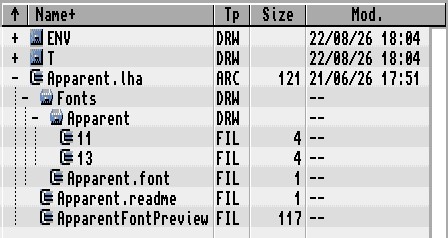
Clicking + beside a configured supported archive runs its List command and projects the result as indented virtual rows. Browsing does not extract the complete archive. Virtual child directories can themselves be expanded when the listing supplies a hierarchy.
Archive child rows support:
selection and path display;
read-only Properties from cached provider facts;
extraction of selected roots;
drag-out to real drawers;
copy-out through the file clipboard workflow;
collapse without modifying the container.
15.3 Extraction
LightTreeFM can:
extract one or more complete archives to one chosen destination;
extract selected virtual entries from one expanded archive;
ask for an extraction destination with ASL;
preflight the required external executable;
offer Overwrite, Overwrite all, Skip, Skip all or Quit for controlled selected-entry extraction;
preserve the archive when copying data out;
refresh the destination after completion.
External archivers may show their own console questions for complete extraction. A new empty destination drawer is recommended when the user wants to avoid mixing old and new files.
15.4 Add, create and test
Add accepts selected real files and drawers and targets an existing supported LHA, LZX or ZIP archive.
Create accepts selected real items and a new .lha, .lzx or .zip name; the extension selects the format.
Recursive drawer inclusion depends on the external tool and configured command retaining the required recursion option.
Test runs the format's configured integrity/test command.
ARC Create/Add is intentionally not offered by the current format policy.
DMS is treated as a disk-image operation, not a normal multi-file archive.
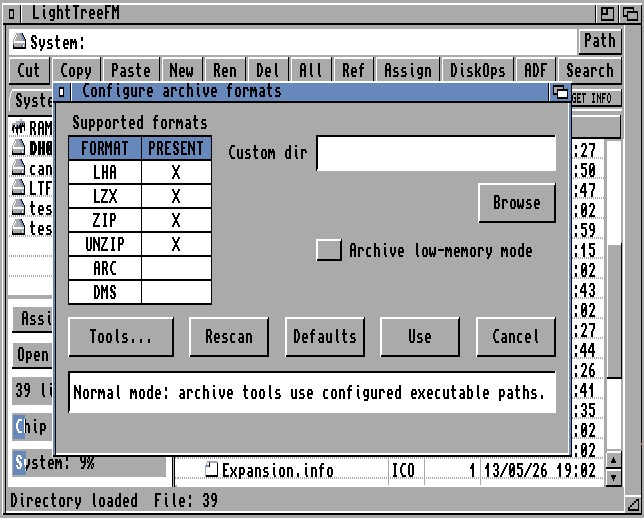
15.5 Archive configuration window
Archive/Configure formats provides:
LHA, LZX, ZIP, UNZIP, ARC and DMS presence rows;
a configurable external Tools drawer;
Browse and Rescan;
separate ZIP and UNZIP availability because they serve different actions;
LHA low-memory mode;
format-specific command editor;
Defaults, Use and Cancel.
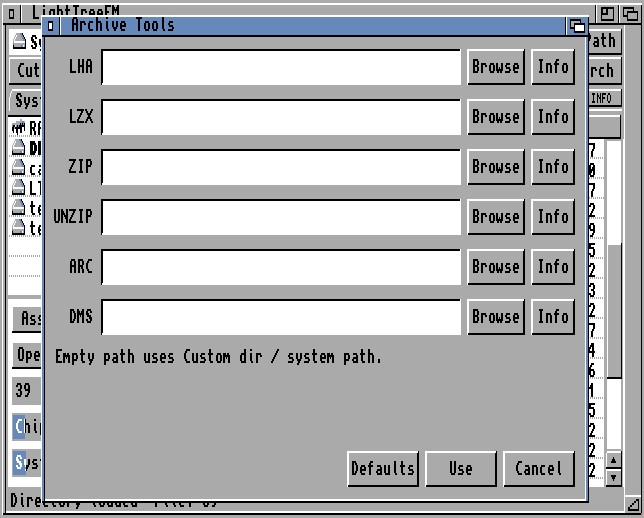
The command editor has LHA, LZX, ZIP, ARC and DMS pages and List, Extract, Add, Create and Test templates. Placeholders are supplied in documented order, and List commands redirect to a temporary output file that LightTreeFM parses into the tree. Templates are bounded and validated as one-line AmigaDOS commands.
15.6 Default command forms
The supplied defaults are based on common classic tools:
LHA List lha l, Extract lha -a x, Add/Create lha -a -r a, Test lha t;
LZX List lzx l, Extract lzx x, Add/Create lzx a, Test lzx t;
ZIP List unzip -l, Extract unzip ... -d, Add/Create zip -r, Test unzip -t;
ARC List arc l, Extract arc x, Test arc t;
DMS View, Write and Test through the corresponding dms commands.
Exact syntax varies among third-party releases. The editor exists so users can adapt harmless options to the installed command, not so LightTreeFM can promise compatibility with every historical binary automatically.
15.7 LHA low-memory mode
On constrained systems, normal extraction may leave too little memory for both LightTreeFM and LHA. Low-memory mode can:
create one external batch for the complete suitable selection;
record the complete main-program path;
close LightTreeFM once to release memory;
process archives sequentially in an external Shell;
include ZIP entries in a mixed extraction batch led by the low-memory LHA path;
relaunch LightTreeFM directly;
read a result manifest from T:;
reopen or reload the destination when possible.
The same strategy can support suitable LHA Add/Create operations when selected sources share a drawer. T: must be writable. On systems with sufficient Fast RAM, normal in-process supervision is simpler and recommended.
Select exactly one real drawer and press Assign. LightTreeFM accepts a name with or without the trailing colon and makes the drawer available as NAME: for the current system session. Files, multiple selections, archive rows and ADF rows are rejected.
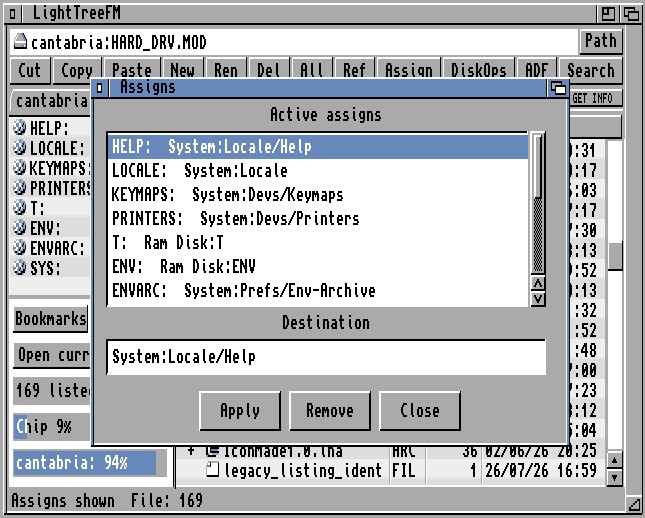
Assign manager
Tools/Assigns... opens a window that:
lists active assigns;
shows the selected assign name and destination;
allows destination editing;
applies a replacement;
removes an assign after confirmation;
refreshes the left Assigns view.
These are live session assigns. LightTreeFM does not silently edit S:User-Startup; users who want persistence must add the corresponding AmigaDOS Assign command to their normal startup files.
Assigns view
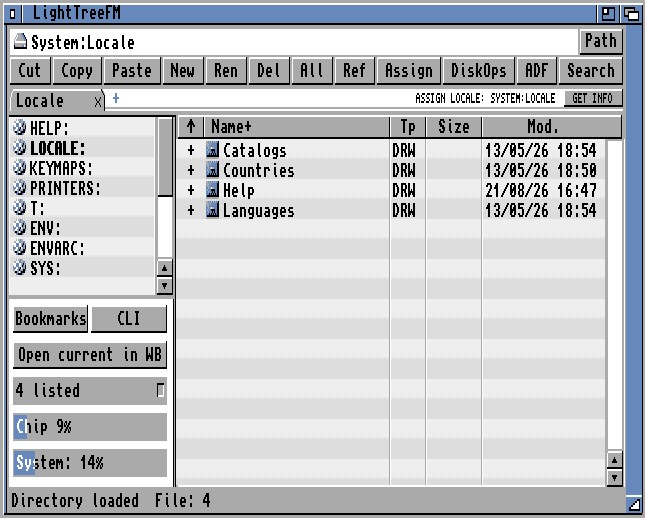
The left-view selector cycles from Volumes to Assigns, then Bookmarks and back to Volumes. Assigns view enumerates active AmigaDOS assigns and opens the selected target in the current tab. Assign rows are allocated on demand and released when leaving the view, avoiding a permanently resident table.
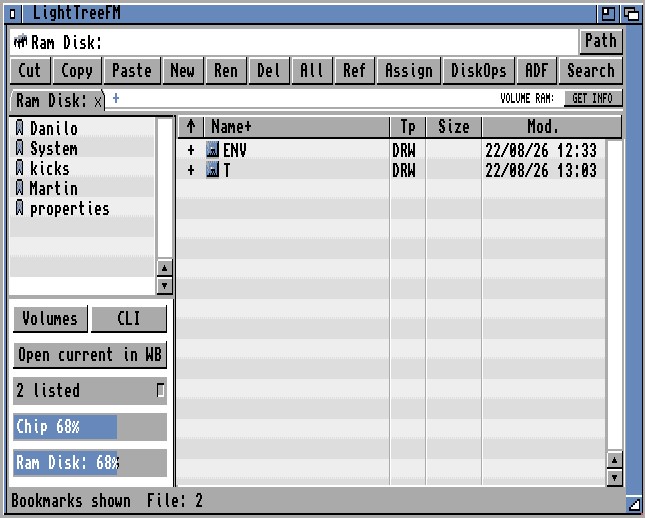
Bookmarks are named, persistent DOS drawer locations. The view supports:
opening a bookmark in the active tab;
dropping files or drawers directly onto a bookmark destination;
spring-opening a bookmarked drawer during drag and drop;
tab-local persistence of the currently selected left-pane mode;
a “No bookmarks” empty state;
atomic runtime and persistent storage reconciliation.
File/Add current position to Bookmarks saves the current real DOS drawer. The initial label is derived from the drawer name and can be edited later. Duplicate locations are compared without case sensitivity.
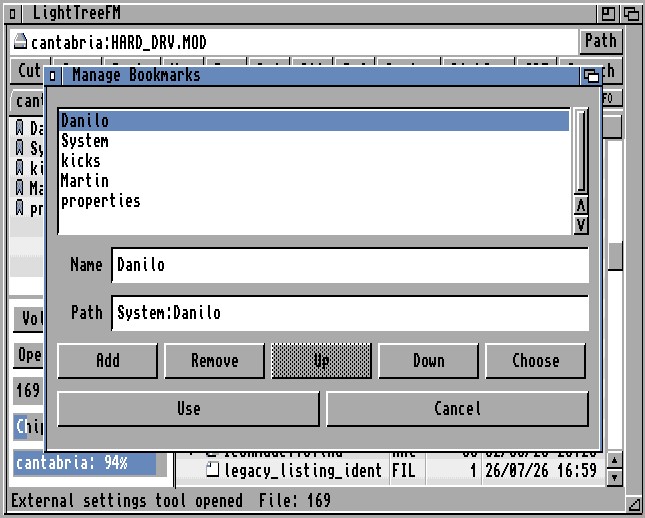
Tools/Manage Bookmarks... opens the load-on-demand bookmark manager. It can:
select and edit bookmark name and path;
choose a drawer through a requester;
add and remove entries;
move entries up or down;
commit the manager's private working copy with Use;
ADF Media Operations (Floppy to ADF Image / ADF to Floppy)
ADF Ops
Click to enlarge
Format Floppy
Native Floppy Disk Formatting, FFS Volume & Verification
Format Floppy
Click to enlarge
Disk Copy
Track-by-Track High-Speed Floppy Copy with Swap Guidance
Disk Copy
Click to enlarge
ADF Tree Browser
ADF Virtual Image Browsing as Transparent Subtree
ADF Tree Browser
Disk Operations
Drive and volume controls
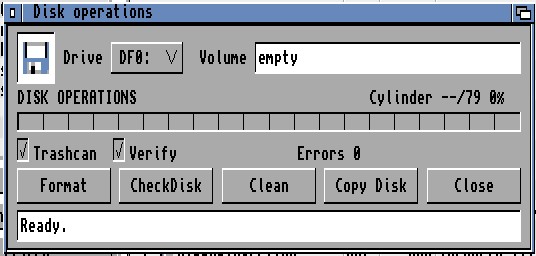
The Disk Operations helper provides a compact native interface for standard floppy drives, normally DF0: and DF1:. The Volume field is edited directly, accepts up to 30 characters, rejects DOS path separators, accepts with Return and restores the previous value with Esc. It does not try to open an NDOS disk through an ASL requester merely to edit the label.
Native floppy format
Formatting supports:
an Amiga FFS volume;
user-selected volume name;
optional standard Trashcan drawer and icon;
one complete DD cylinder per device request;
optional read-back comparison of every cylinder;
live cylinder grid, percentage and stage status;
cancellation between device requests;
Retry/Cancel after write, flush, read or compare errors;
final filesystem initialisation through dos.library/Format.
Check and clean
CheckDisk reads the medium and reports bad/problem areas without intentionally erasing it.
Clean rewrites the selected disk with empty data and is destructive.
Disk copy
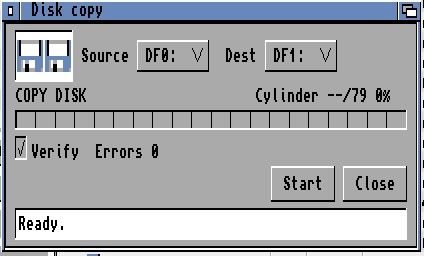
Disk Copy supports:
source and destination drive selection;
same-drive copy with guided source/destination disk swaps;
optional destination format;
optional read-back verification;
a configurable temporary path, allowing a hard disk drawer to replace RAM storage on low-memory systems;
progress and cancellation at safe boundaries;
explicit destination confirmation.
Hard-disk and partition formatting is shown as disabled by design. LightTreeFM does not expose a misleading or insufficiently safe implementation for those devices.
ADF features
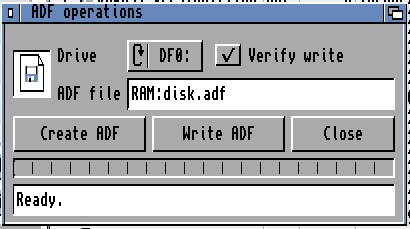
ADF media operations
The ADF helper supports the standard 901,120-byte image of an Amiga double- density floppy:
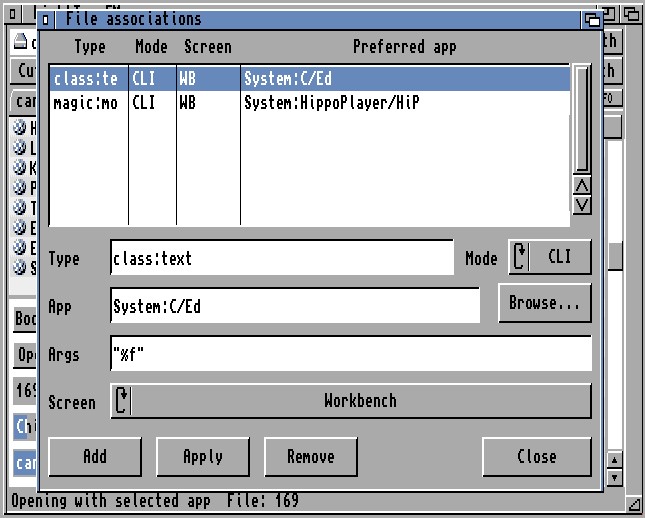
File Association Manager & CLI/Workbench Launch Templates
Associations
File associations and application launching
Open with
For one real file, File/Open with... lets the user:
choose an application;
select CLI or Workbench launch mode;
run the choice once;
save a rule for a detected type, exact name or extension where offered.
This provides a safe way to test an application before committing a permanent association.
Association manager
Tools/File associations... provides a persistent rule list with:
case-insensitive type/pattern matching;
complete application path and Browse action;
CLI or Workbench mode;
argument template for CLI mode;
Workbench/LightTreeFM screen-front behaviour;
Add, Apply and Remove operations.
CLI templates support:
%f — complete selected file path;
%n — selected file name only;
%d — containing drawer.
Paths are composed through bounded AmigaDOS command builders. Unsupported path characters or unrepresentable command arguments are reported instead of being passed to a Shell ambiguously.
CLI and Workbench launch modes
CLI mode starts an application through AmigaDOS and expands the configured argument template.
Workbench mode launches the application as a Workbench program and passes the selected file as a project; CLI Args are ignored.
On an owned LightTreeFM screen, the association can specify whether Workbench or LightTreeFM should be brought forward for the launched application.
LTFWBRun/WBRun provides compatibility support for Workbench-style launching where required.
LightTreeFM associations, Workbench icon Default Tool and raw ToolTypes are separate stores. Editing one never rewrites the others implicitly.
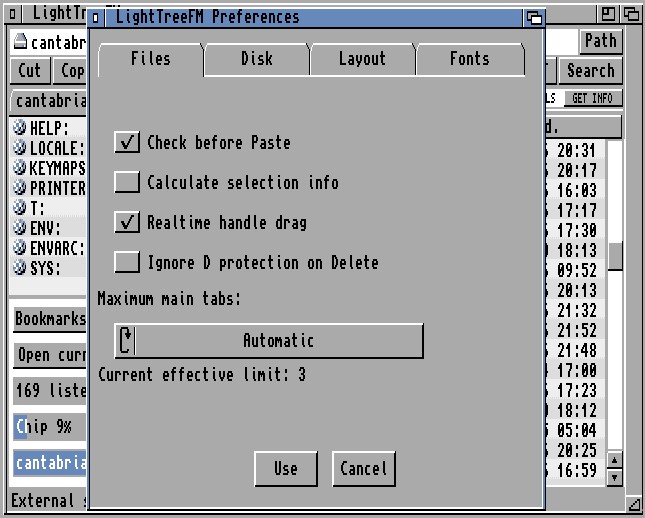
Files Preferences: Paste Space Check, Selection Stats, Tabs
Files Tab
Click to enlarge
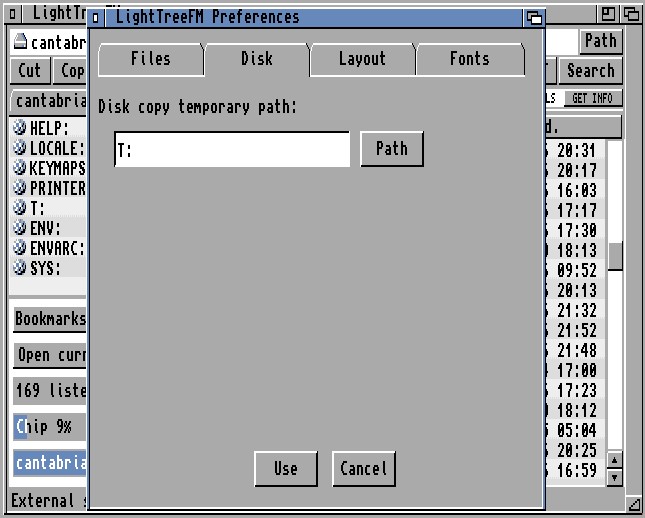
Disk Tab
Disk Preferences: Temporary Buffer Path for Constrained RAM
Disk Tab
Click to enlarge
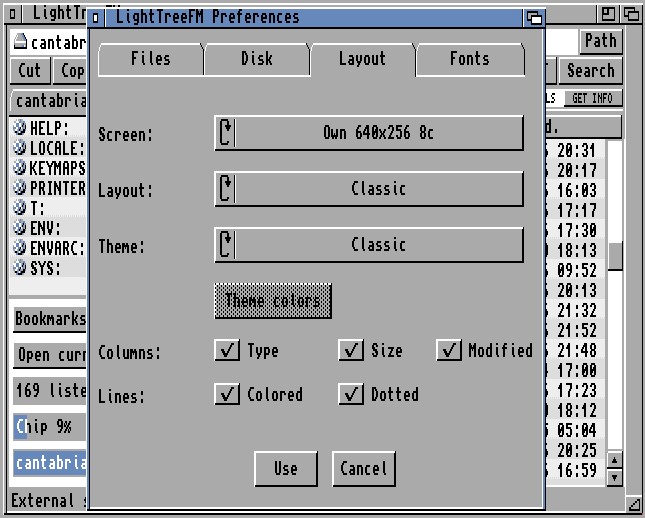
Layout Tab
Layout Preferences: Screen Mode, Color Depth, Themes & Columns
Layout Tab
Click to enlarge
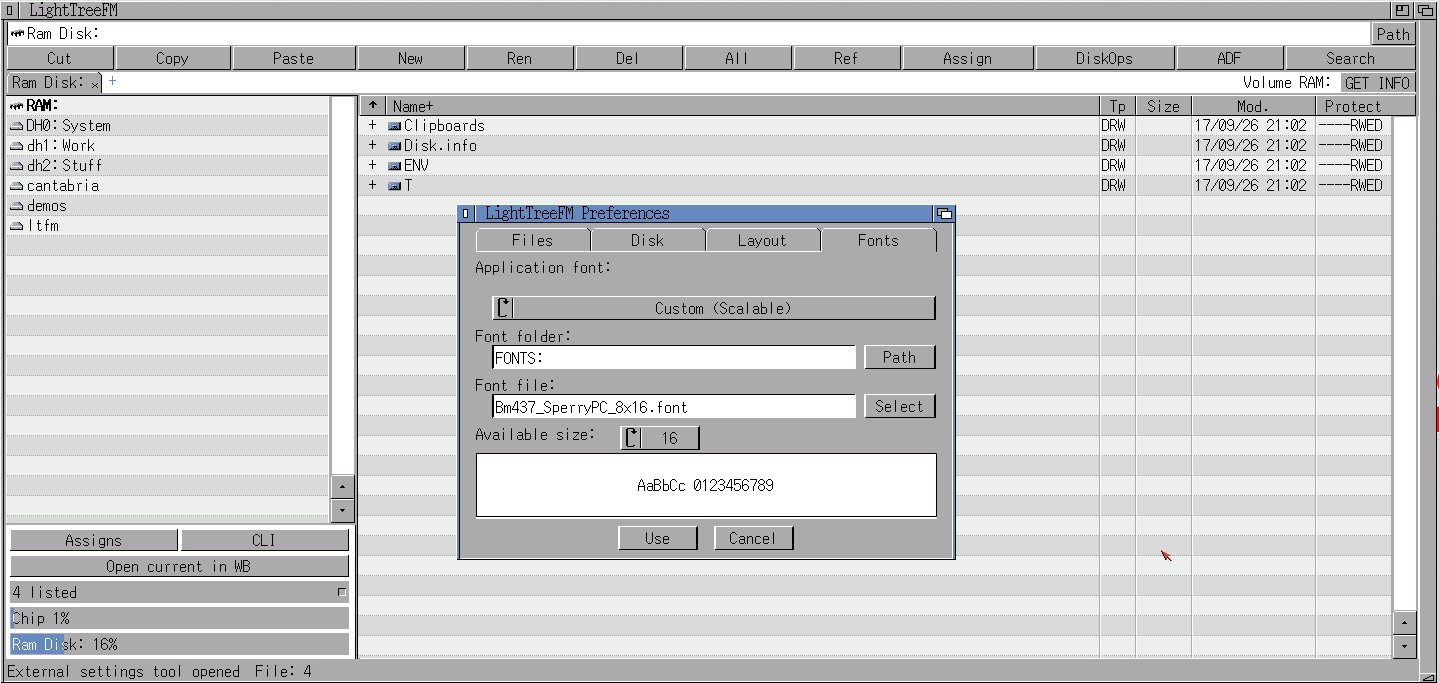
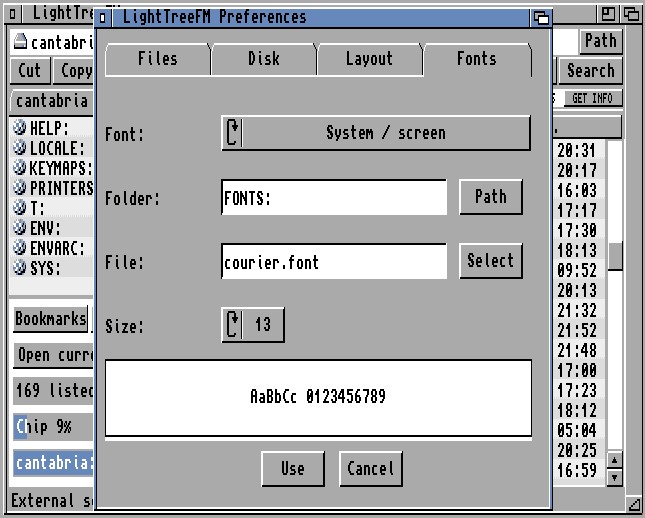
Fonts Tab
Fonts Preferences: Screen Font & Scalable/Custom Font Selection
Fonts Tab
Preferences
Preferences runs asynchronously in LTFPrefsTool; the main LightTreeFM window remains responsive. When the helper exits, the main process validates and reloads the result, then redraws or reopens its interface only when the changed settings require it.
Files page
Check before Paste — calculate planned data and compare it with reported destination space.
Calculate selection info — show selected item count/size and, after a short pause, optionally measure selected drawer contents.
Realtime handle drag — redraw file rows while a scrollbar knob is being dragged; disabling it updates on release and can feel lighter on slow CPUs.
Ignore D protection on Delete — grant only the Delete permission needed for an explicit delete, leaving every other protection flag unchanged.
Maximum main tabs — Automatic or requested 3 through 9, clamped to what safely fits.
Disk page
Disk copy temporary path — selects where disk copy stores temporary data. T: is fast but consumes RAM; a hard disk drawer is safer on a constrained system.
Layout page
Screen — Public; Own 640×256 4/8/16 colours; Own 640×512 4/8/16 colours.
Alt colors — alternate file-row backgrounds.
Row dots — independent dotted separator on the final scanline of every row.
Layout — Automatic, Classic or Scalable preview where supported.
Theme — Classic on Public; Classic, Dark or Light on supported owned 8/16-colour screens.
Theme colors — opens the preset/custom editor for the currently active Dark or Light own-screen family.
Columns — independently show Type, Size and Modified; Name remains.
Fonts page
System / screen — use the active screen font.
Custom (Scalable) — choose font drawer, name and an available size.
invalid font paths, names or sizes are reported rather than stored as an unusable preference;
Classic/V37 configurations automatically retain the system/screen font;
bundled font material is normally available under PROGDIR:Fonts.
Use, Cancel and persistence
Use collects the state from every page, validates it as one transaction, writes the configuration atomically where possible and applies the resulting redraw or screen reopen. Cancel discards the helper's private edits. Archive command paths and LHA low-memory mode belong to Archive/Configure formats, not this four-page window.
Persistent settings
LightTreeFM separates live ENV state from reboot-persistent ENVARC state. Main files include:
ENV:LightTreeFM/prefs.cfg and ENVARC:LightTreeFM/prefs.cfg — product preferences;
ENV:LightTreeFM/ui.cfg — window/UI state such as accepted geometry;
ENV:LightTreeFM/archive.cfg and ENVARC:LightTreeFM/archive.cfg — archive tools and templates;
ENV:LightTreeFM/associations.cfg and ENVARC:LightTreeFM/associations.cfg — file-association rules;
ENV:LightTreeFM/bookmarks.cfg and ENVARC:LightTreeFM/bookmarks.cfg — bookmark model;
public-theme state files retained for safe compatibility/recovery of older configurations.
Bounded codecs reject malformed or overlong records without replacing a valid in-memory model. Relevant saves use temporary files, verification and atomic installation/reconciliation so a failed volatile update does not silently destroy the persistent copy.
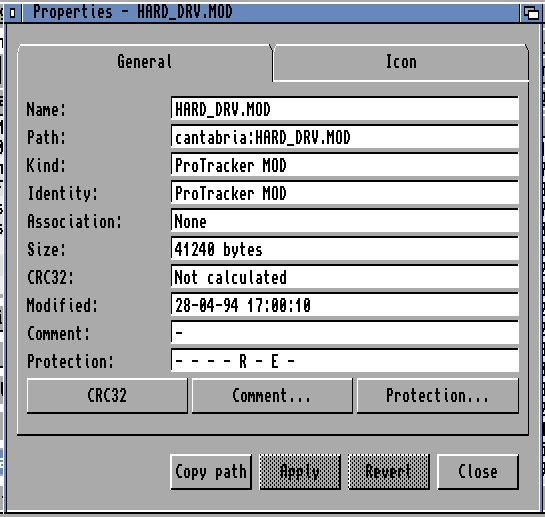
Properties is implemented as a synchronous load-on-demand module so its full UI and editing code do not remain resident during normal browsing. It adapts to real objects, virtual rows, multiple selections and TreeDuo results.
Target selection rules
one selected real file or drawer opens full General and Icon inspection;
no selection inspects the current real drawer;
a .info companion selected beside its real object is mapped according to the established icon/object rules; an orphan .info remains a literal file;
one archive or ADF virtual row opens cached, read-only provider facts;
calculated drawer totals or file checksum when requested.
The window uses the actual parent screen, VisualInfo and current UI font. Its metrics follow Classic Topaz or scalable/custom fonts without opening an empty frame or silently reverting to an unrelated font.
Drawer calculation
Drawers are not traversed merely because Properties opens. Calculate starts a bounded recursive measurement and reports:
total bytes;
file count;
drawer count.
Ctrl-C can abort a long scan. This on-demand design avoids unexpected disk activity and large memory use for a simple metadata inspection.
File CRC32
For a real file, the Calculate action becomes CRC32:
checksum starts only on request;
data is read through a small public-memory buffer;
Ctrl-C aborts;
size and modification date are compared before and after the read;
a file that changes during calculation is reported instead of publishing a stale checksum.
Comment and single-object protection editing
Comment and protection edits are staged until Apply. Revert restores the last inspected or successfully saved state.
Protection exposes all eight AmigaDOS attributes:
Hold;
Script;
Pure;
Archive;
Read;
Write;
Execute;
Delete.
For Read, Write, Execute and Delete, a checked box means the operation is permitted; LightTreeFM performs the inverted bit representation internally. Hovering or selecting a protection control shows a concise explanation in a recessed information panel.
Multiple-selection summary and protection editor
The aggregate page reports:
selected object count;
file count;
drawer count;
known bytes;
unknown-size conditions;
whether the set contains real or virtual items.
It never scans selected drawers automatically and uses bounded arithmetic.
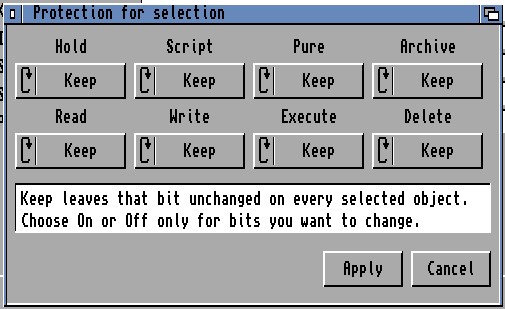
When every selected target is a real filesystem object, Protection... loads the further on-demand LTFPropertiesMulti.module. Each of the eight bits has a three-state command:
Keep — preserve the bit independently on every object;
On — enable the displayed permission or attribute everywhere;
Off — disable it everywhere.
Apply is transactional:
1. preflight every selected object and journal its identity/protection;
2. re-enumerate and revalidate before writing;
3. merge only non-Keep choices;
4. after any partial failure, re-enumerate and restore every attempted object;
5. report any rollback failure as a material residual-change outcome.
Virtual archive/ADF rows disable this editor and cannot enter its write path. The lower information field explains Keep/On/Off and shows the same per-bit hover help as the single-object editor.
Virtual and TreeDuo Properties
Archive/ADF Properties is strictly read-only. It can show name, internal or container path, known kind, size and date supplied by the virtual provider. Calculate, CRC32, Comment, Protection, association and icon mutation are disabled.
TreeDuo Properties reads the comparison snapshot only. It reports the neutral relative key, classification, both full expected paths, presence, file/drawer kind, size and available date. It does not re-stat, copy, delete or edit either side. Copy path copies the relative key rather than choosing A or B implicitly.
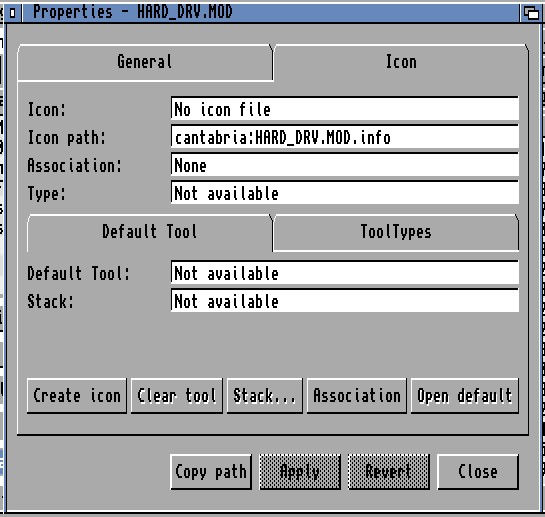
Icon page
The Icon page uses Workbench 2.05-compatible V36 icon APIs. It supports:
inspection of an existing .info file;
preview and creation of a missing system default icon;
Drawer icon for drawers;
Tool icon for detected executables;
Project icon for other files;
Project Default Tool editing;
Tool Stack value editing;
raw ToolTypes for Tool, Project and Drawer icons;
separate Default Tool and ToolTypes subtabs;
Add, Update, Remove and Enable/Disable ToolType operations;
ordered preservation of unknown keys, duplicates, spelling, case and order;
one outer pair of parentheses for disabled ToolTypes;
Apply/Revert and unsaved-change confirmation.
The editor does not expose icon pixels or geometry as editable fields. Existing image, icon type, position and untouched DiskObject data are preserved.
Transactional icon writes
Icon editing and creation use a verified temporary sibling, backup replacement and rollback strategy. A newly appeared destination .info is never overwritten accidentally. Short temporary names remain compatible with classic 30-character AmigaDOS filename components.
After ordinary property writes, LightTreeFM refreshes only affected cached metadata where possible. Protection/comment changes do not automatically reset the whole file-list viewport. Icon creation or sort-relevant structural changes can trigger a preserving full reload when required.
Classic uses the active screen's normal DrawInfo and Workbench-compatible pens. It is the universal fallback for public, low-colour, V37 and capability-failure paths.
25.2 Owned-screen Dark themes
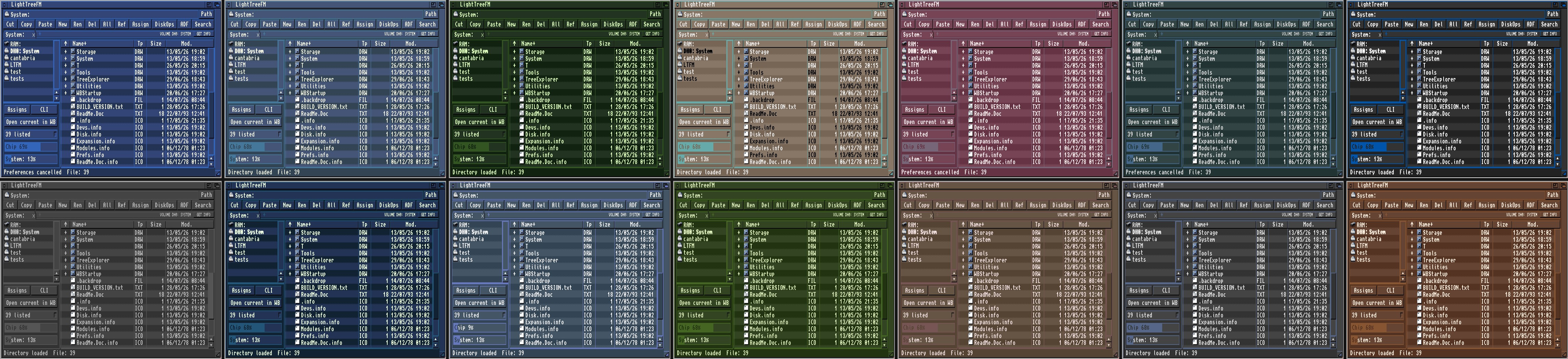
Fourteen named Dark presets are supplied:
MysticWB Dark;
Current Brown;
Graphite Desk;
Blue Steel;
Cool Slate;
Warm Amber;
Sepia Desk;
Olive Terminal;
CRT Green;
Low Glare;
High Contrast;
Midnight Cyan;
Storm Grey;
Dawn Amber.
The family includes semantic roles for window, panel, row, selection, text, fields, buttons, bevels, frames and accents. Custom palette data can be retained within the supported own-screen colour count.
25.3 Owned-screen Light themes
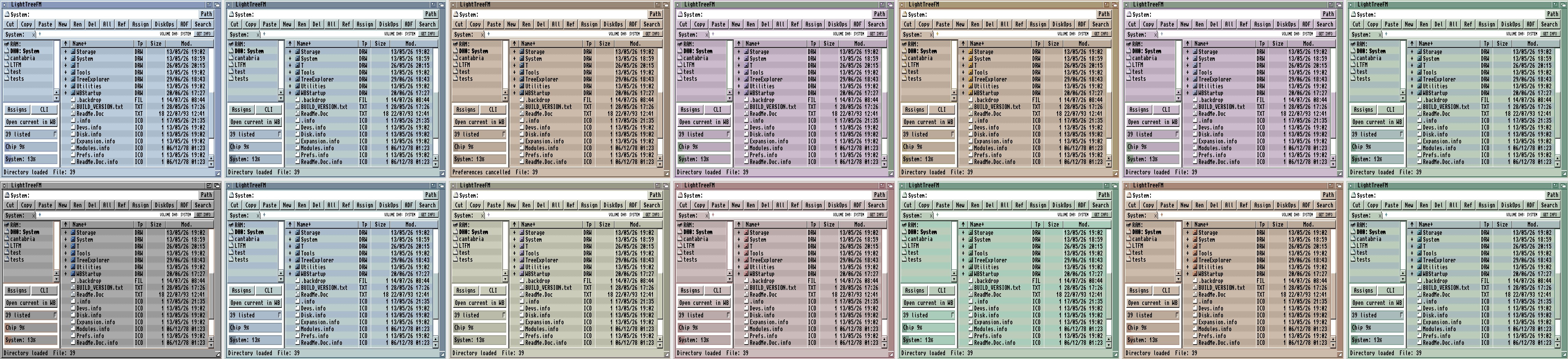
Fourteen Light presets are supplied:
Mystic Workbench;
Arctic Paper;
Sage Desk;
Sandstone;
Lavender Mist;
Ocean Glass;
Pastel Rainbow;
Blue Porcelain;
Rose Paper;
Mint Studio;
Golden Paper;
Cloud Lilac;
Seafoam Desk;
Classic Ivory.
Light themes use dark text on controlled pale/mid-light surfaces. Normal text/background pairs are designed around a minimum 4.5:1 contrast target at 8 and 16 colours. White is generally reserved for recessed fields and bevel highlights rather than filling every control.
Dark and Light remember their most recently selected presets independently. Stored palettes are normalised against the validated catalog so an old custom state cannot silently restore a structurally unreadable combination.
25.4 Row styles
Alternate colours and dotted separators are independent. On a high-colour P96 or CyberGraphX public screen, alternate rows may use private direct RGB fills. On indexed/public screens, the renderer stays within existing DrawInfo pens and uses a clean one-pixel dotted separator that does not texture the glyph area. Owned screens can use theme-matched row roles and additional row tone/preset settings through the underlying appearance model.
25.5 Public-screen safety
LightTreeFM does not rewrite public Workbench palettes as an implicit side effect of opening a window. Earlier experimental public palette/theme paths are normalised back to Classic in the current Preferences UI. Public RTG drawing is ownership-neutral: no LoadRGB, speculative pen leasing or palette restoration is required for ordinary operation.
Volume Information on a Classic Amiga: Chip RAM Usage
Classic Amiga
Click to enlarge
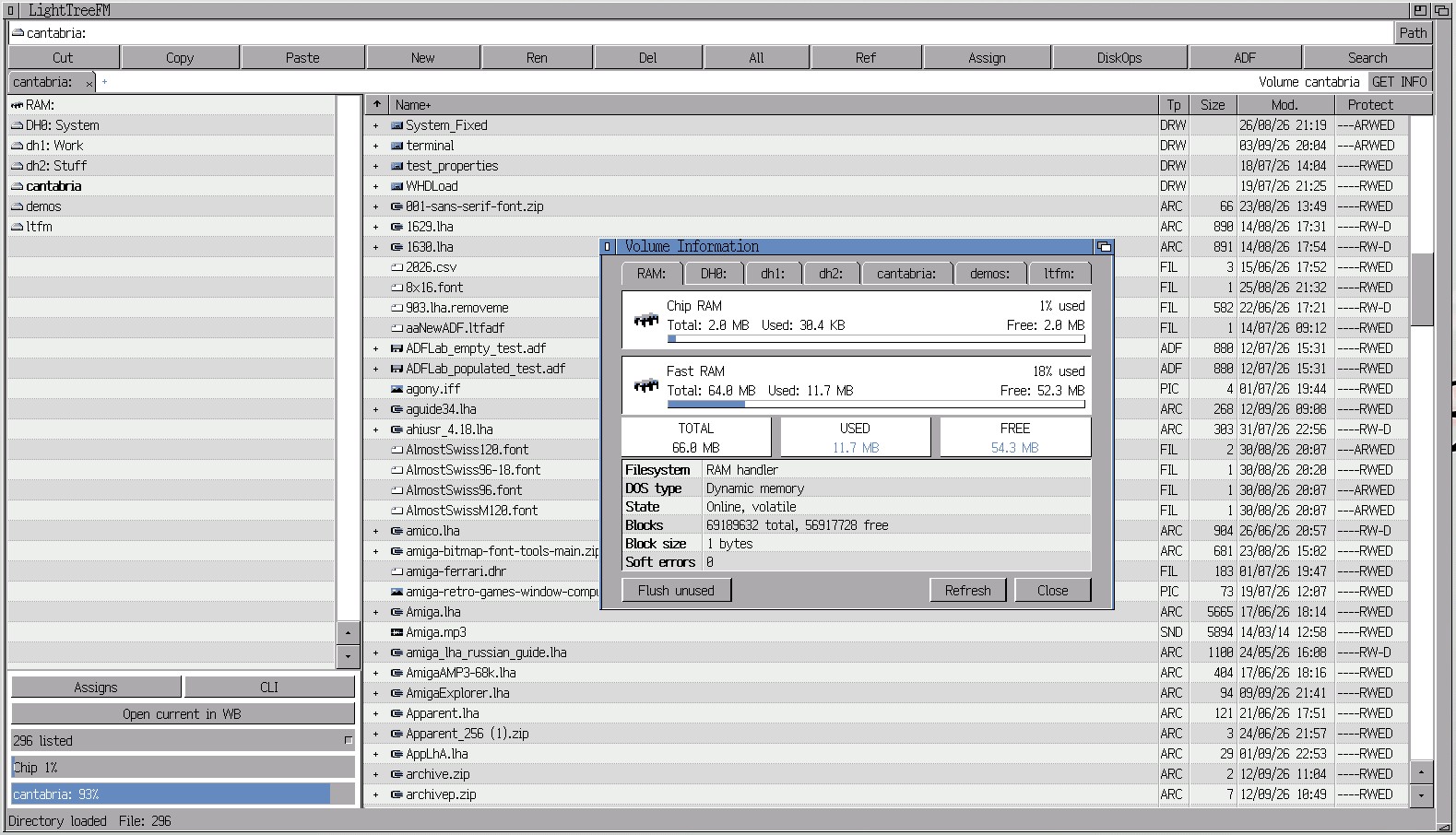
RTG Screen
Volume Information on RTG: Chip RAM and Fast RAM Usage
RTG Screen
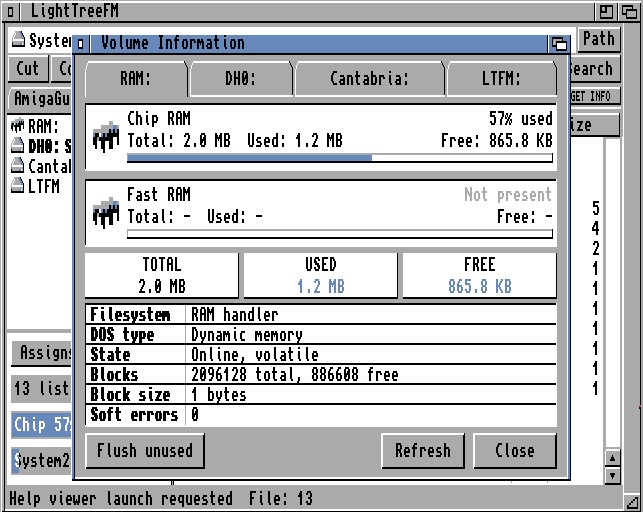
Volume Information
Tools/Volume information opens a detailed inspector with tabs for mounted volumes. Overflow arrows scroll the tab strip when every volume cannot fit. Refresh re-queries the active volume.
Disk and handler information
Where the handler supplies trustworthy facts, the window shows:
total, used and free capacity;
percentage used;
access mode;
handler unit;
filesystem and DOS type;
media state;
total and free block counts;
block size;
reported soft errors.
Network, removable and custom handlers may omit some values. LightTreeFM shows a dash or “Capacity unavailable” instead of inventing a number.
RAM information
On the RAM: tab, separate panels show Chip and Fast memory:
total when available;
used;
free;
proportional meters;
a refreshed summary after allocations change.
The shared memory query layer handles older systems where an exact class total is unavailable and labels the result appropriately.
Flush unused
Flush unused is enabled only on the RAM: tab. It:
runs two silent C:Avail FLUSH passes;
re-reads Chip and Fast figures;
reports memory released after the command's temporary structures settle;
refreshes again after the result message closes.
It expunges only unused system libraries, devices and fonts. It does not delete RAM: files, close programs, reclaim resources still in use or repair a leak owned by another program. Missing C:Avail produces an AmigaDOS error and does not change the workspace